
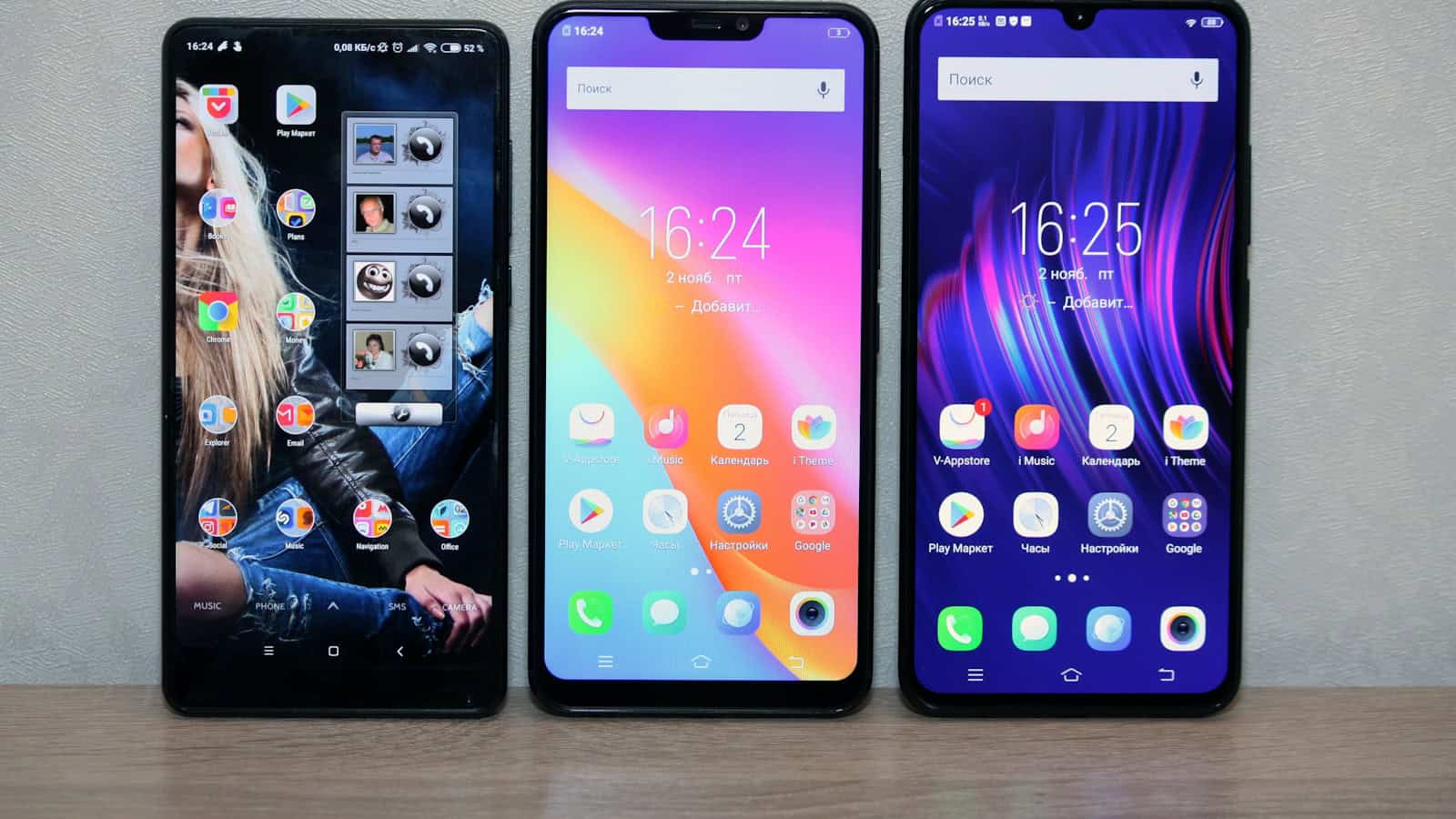
Buying an Android phone means picking a software flavour whether you meant to or not. The hardware differences between a $600 Samsung and a $600 Xiaomi are getting smaller every year. The software differences are not.
So here’s the honest comparison nobody sells you at the store: how One UI, HyperOS, OxygenOS and stock Android actually feel after six months of daily use, and which one you should live with.
The quick answer: One UI is the most complete Android skin right now. It has the deepest feature set, the longest update promise on the market, and the best large-screen and tablet behaviour, and its ads and preinstalls are milder than they used to be. Stock Android, Pixel and Android One style builds, is the cleanest and gets updates first, but it’s feature-thin if you like tinkering. HyperOS is fast and beautifully animated on modern Xiaomi hardware, but it’s the most aggressive about preinstalled apps and promotional content, especially on regional retail units. OxygenOS is the tragedy of the group: it used to be the enthusiast pick, and after years of converging with ColorOS it’s now a good, dense, slightly cluttered skin rather than a great minimal one. Pick One UI for depth and support, stock for calm, HyperOS for value hardware you’re willing to clean up.
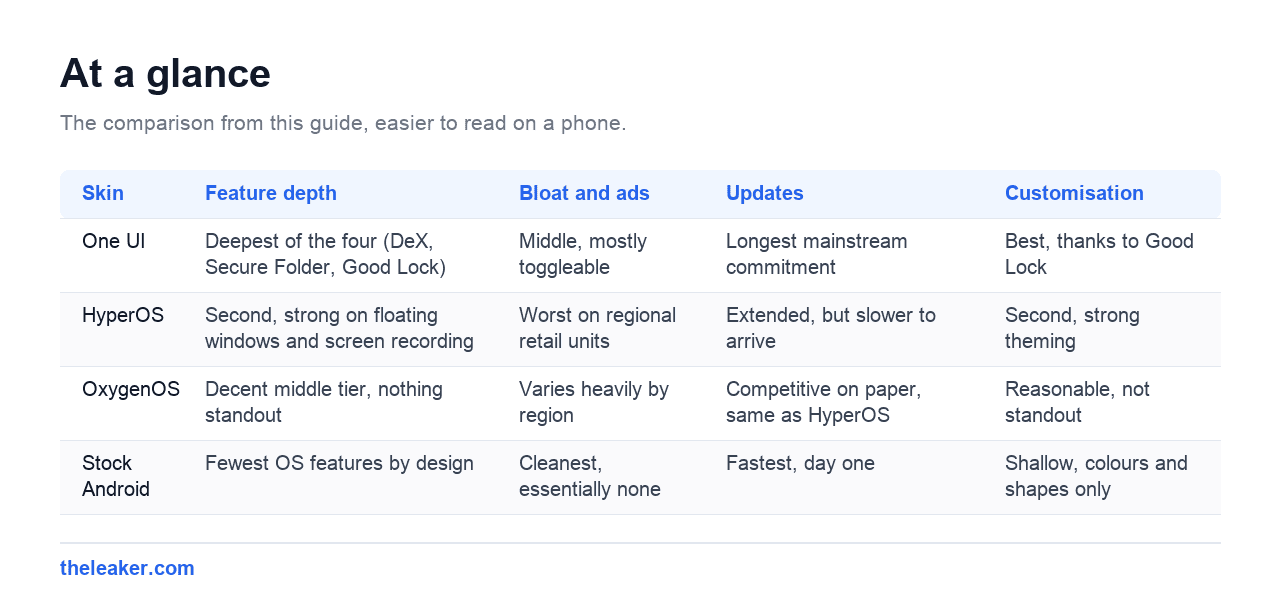
| Skin | Feature depth | Bloat and ads | Updates | Customisation |
|---|---|---|---|---|
| One UI | Deepest of the four (DeX, Secure Folder, Good Lock) | Middle, mostly toggleable | Longest mainstream commitment | Best, thanks to Good Lock |
| HyperOS | Second, strong on floating windows and screen recording | Worst on regional retail units | Extended, but slower to arrive | Second, strong theming |
| OxygenOS | Decent middle tier, nothing standout | Varies heavily by region | Competitive on paper, same as HyperOS | Reasonable, not standout |
| Stock Android | Fewest OS features by design | Cleanest, essentially none | Fastest, day one | Shallow, colours and shapes only |
What an “Android skin” actually is
Every Android phone runs the same open-source base. What manufacturers ship on top is a skin: their own launcher, settings layout, notification design, system apps, animation language, and a pile of features Google never wrote. That layer decides how your phone feels far more than the chipset does.
Two things have changed the landscape recently and both matter here. First, MIUI is gone as Xiaomi’s forward-facing name: HyperOS succeeded it, and Xiaomi rebuilt chunks of the platform layer in the process rather than just rebranding. Second, OnePlus and OPPO merged their software engineering, so OxygenOS and ColorOS now share a large common codebase. They diverge in styling and in some region-specific features, but structurally they’re siblings now, not rivals. Anyone telling you OxygenOS is still the near-stock skin from the OnePlus 3 era hasn’t used a recent one.
Visual design: who looks best
This is subjective, so I’ll be blunt about my bias and then give you the reasoning.
One UI wins on ergonomics rather than beauty. Its signature move: pushing headers and content down so the top half of the screen is empty and the interactive half is in thumb range: was genuinely smart when Samsung introduced it and it’s aged well as phones got taller. It’s a bit soft and rounded for some tastes. But it’s the only skin here designed like someone measured a human hand.
HyperOS is the prettiest in motion. Xiaomi’s animation work (the way widgets expand, the lock screen depth effects, the fluidity of the recents view) is genuinely gorgeous on capable hardware. The problem is consistency. Dig two menus deep and you’ll still hit screens that look like they came from a different design era.
Stock Android on Pixels has the strongest identity of the four. Material You’s colour extraction from your wallpaper is still the best system-wide theming any phone does automatically, and Google’s typography and spacing feel deliberate. It’s also the most opinionated, so if you dislike the look you can’t do much about it.
OxygenOS sits in the middle. Clean enough, decent icons, but the personality it once had is largely gone. It looks like a well-executed generic skin.
Feature depth: One UI is not close
If you actually use your phone as a tool, this category decides everything.
One UI ships with a genuinely absurd amount of functionality: proper multi-window and pop-up apps, Samsung DeX for a desktop-style experience on an external display, Secure Folder for a separate encrypted work profile, deep Good Lock customisation modules for people who want to rebuild the UI themselves, and the best stylus integration in the industry on the models that support one. Very little of it is gimmicky. Most of it works.
HyperOS is second on raw feature count. Floating windows, strong screen-recording tools, a capable built-in file manager, and a very good split-screen implementation. Xiaomi also does well on device-to-device continuity within its own ecosystem of tablets and wearables.
OxygenOS has a decent middle-tier set (a good sidebar for quick app access, solid gaming modes, useful gesture shortcuts) but nothing that would make you switch platforms.
Stock Android is last, deliberately. Google’s philosophy is that features belong in apps, not the OS. You get excellent core apps and Google’s on-device intelligence, but the OS itself gives you very little to configure. For some people that’s the entire appeal.
Bloatware and ads: the ugly part
Here I’ll name names, because this is where readers get burned.
Worst offenders: HyperOS on regional retail units, particularly in India and some Southeast Asian markets, still ships with a heavy load of preinstalled third-party apps and system components that surface promotional content in places you don’t expect. Xiaomi has improved considerably from the worst MIUI years, and a lot of it is toggleable in settings, but “toggleable” means you have to go hunting. Out of the box, it’s the noisiest experience of the four.
Realme and vivo builds, not covered in depth here, are in the same bracket or worse. If ads in a system app would ruin your week, this is the segment to avoid.
Middle: One UI. Samsung ships plenty of duplicate apps (its own browser, its own store, its own everything alongside Google’s set) and some carrier units add another layer on top. But the duplicates are mostly good apps, and the promotional pressure inside them is mild by comparison. Most of the Samsung stack can be disabled.
OxygenOS varies heavily by region. Global units are reasonably clean; some regional variants are not.
Cleanest: stock Android by a mile. Pixels ship with Google’s apps and essentially nothing else. If you consider Google’s own apps to be bloat, that’s a fair position, but at least there’s only one set of them.
If you’re stuck with a phone that’s noisier than you’d like, most of the damage can be undone without root: disabling preinstalls, killing notification categories app by app, and tightening what’s allowed to run in the background. Our guide to hidden Android settings that speed up your phone covers the settings worth changing on any skin.
Updates and support length
This category has flipped completely in the last few years, and a lot of buying advice hasn’t caught up.
Samsung now offers the longest software commitment in mainstream Android: multiple years of major OS versions plus extended security patching on flagships, and unusually generous terms on midrange models too. That’s a real, checkable promise, and Samsung’s delivery record against it has been solid.
Google’s Pixels made a comparable long-term commitment and have the additional advantage of getting new Android versions on day one, plus regular feature drops between major releases. If being first matters to you, this is the only real choice.
Xiaomi and OnePlus have both extended their policies significantly and are now competitive on paper, especially at flagship level. Delivery speed is the weak point: major version rollouts tend to arrive months after Google’s release, and they stagger by region and model in ways that are hard to predict. Midrange and budget devices from both brands get shorter, patchier support than their flagships.
Verdict: Samsung and Google are the safe bets. Check the specific model’s stated policy before buying rather than trusting the brand’s reputation, because the gap between a brand’s flagship promise and its cheap phone’s reality is enormous.
Performance and RAM management
Raw speed is a chipset story. What the skin controls is background app management, and this is where cheap Android phones earn their reputation for being annoying.
Aggressive RAM management means the system kills your backgrounded apps to save battery. It sounds efficient. In practice it means your music stops, your fitness tracker misses steps, your messaging app doesn’t notify you, and you reopen a half-finished form to find it reset.
Chinese-origin skins have historically been the worst here, HyperOS and OxygenOS included, though both have improved and both now expose per-app battery settings that let you exempt the apps you care about. Do that on day one for your messaging, alarm, health and navigation apps. It’s the single highest-value tweak on those phones.
One UI is moderate: reasonably aggressive by default, easy to override. Stock Android is the most permissive and the most predictable, which is why developers test on Pixels.
None of these skins is meaningfully slower than the others on comparable hardware in 2026. Anyone claiming a 5% animation-speed difference matters is selling something. Thermal behaviour under sustained load matters far more, and that’s a hardware and tuning question, if your phone runs hot, our overheating fixes guide is more useful than switching brands.
Customisation
One UI wins again, and it’s not particularly close, because of Good Lock. Samsung’s suite of optional customisation modules lets you rebuild the notification panel, the recents view, the lock screen, the navigation gestures and the multitasking behaviour to a degree no other manufacturer permits. It’s not preinstalled and it isn’t available everywhere, which is a real caveat, but where it works it’s the most powerful customisation system on any phone.
HyperOS is second. Theming, icon packs, always-on display styles, lock screen layouts: Xiaomi has always taken this seriously and still does.
Stock Android’s Material You theming is elegant but shallow. You get colours and a handful of shape options. That’s it, unless you install a third-party launcher.
OxygenOS offers a reasonable set (accent colours, icon shapes, always-on display customisation) without standing out.
Notification handling
Underrated category, and the one that quietly determines whether you like your phone.
Stock Android has the best notification model: clear grouping, sensible per-channel controls, conversation priority that actually works, and no manufacturer second-guessing what deserves your attention. Google designed the notification system, so it’s unsurprising the reference implementation is the best one.
One UI is close behind, with a cleaner-looking panel and good grouping, though Samsung’s own apps can be chatty until you prune their channels.
HyperOS and OxygenOS both split notifications and quick settings in ways that some people love and others find confusing, and both are more likely to delay or suppress notifications from apps the system has decided are unimportant. If you rely on a niche app for something time-sensitive, exempt it manually.
The verdict by use case
Best for power users: One UI. DeX, Secure Folder, Good Lock, real multi-window and stylus support. Nothing else comes close on depth.
Best for simplicity: Stock Android. No duplicate apps, no promotional junk, predictable behaviour, best notifications. If you want a phone that gets out of your way, buy a Pixel.
Best for long support: Samsung or Google, effectively tied. Samsung extends the promise further down its price range; Google delivers faster at the top.
Best value if you’ll do maintenance: HyperOS. Xiaomi’s hardware per dollar is excellent and the software is genuinely good once you spend twenty minutes disabling preinstalls and fixing battery exemptions. If you won’t do that work, buy something else.
Worst offenders for ads and bloat: regional Xiaomi retail units and the budget Realme and vivo tier. Improving, still the noisiest out of the box.
Most disappointing: OxygenOS. Not bad. Just no longer the reason to buy a OnePlus.
One last thing worth saying plainly: the skin matters less than the specific model’s support commitment and the amount of RAM it shipped with. A well-supported midrange Samsung will be a better phone in three years than a flagship from a brand that abandons it in eighteen months. When you do upgrade, moving between skins is easier than it used to be: see our guide to transferring everything to a new Android phone.
Frequently asked questions
Is One UI better than HyperOS?
For most people, yes. One UI has more useful built-in features, a longer and more reliable update commitment, better notification handling, and far less promotional content out of the box. HyperOS wins on animation polish and on price-to-hardware value. If you’re comparing similarly priced phones and don’t want to spend time configuring your device, One UI is the safer pick.
Is OxygenOS still better than ColorOS?
They’re much more similar than they used to be. OnePlus and OPPO share software engineering now, so the two skins run on largely common foundations and differ mainly in visual styling, default app choices, and some region-specific features. If you’re choosing between a OnePlus and an OPPO phone, decide on hardware, price and update policy. The software gap is no longer a deciding factor.
Which Android skin has the least bloatware?
Stock Android on Pixel devices, clearly. Pixels ship with Google’s own app set and essentially nothing beyond it. After that, unlocked global Samsung units are reasonably clean once you disable the duplicate Samsung apps you don’t want. Carrier-branded phones of any brand are worse than their unlocked equivalents. That’s a distribution problem, not a skin problem.
Does the Android skin affect performance?
Less than people think on raw speed, more than people think on background behaviour. On comparable hardware, all four of these skins feel fast. The real difference is RAM management: some skins kill backgrounded apps aggressively to save battery, which breaks music playback, step tracking and delayed notifications. That’s fixable on every skin here by exempting your important apps from battery optimisation.

Hello, folks, my name is Akshay, and from the beginning, I like to play with the latest phones, gaming consoles, PCs, Laptops’s and whatnot. When I get spare time, I like to do Photography, and you will always find me playing with Photoshop, Lightroom, Premiere Pro, etc. In Love with Gadgets, my gear Motorola Moto G5 Plus. You can contact him on akshaydua[@]theleaker.com.