
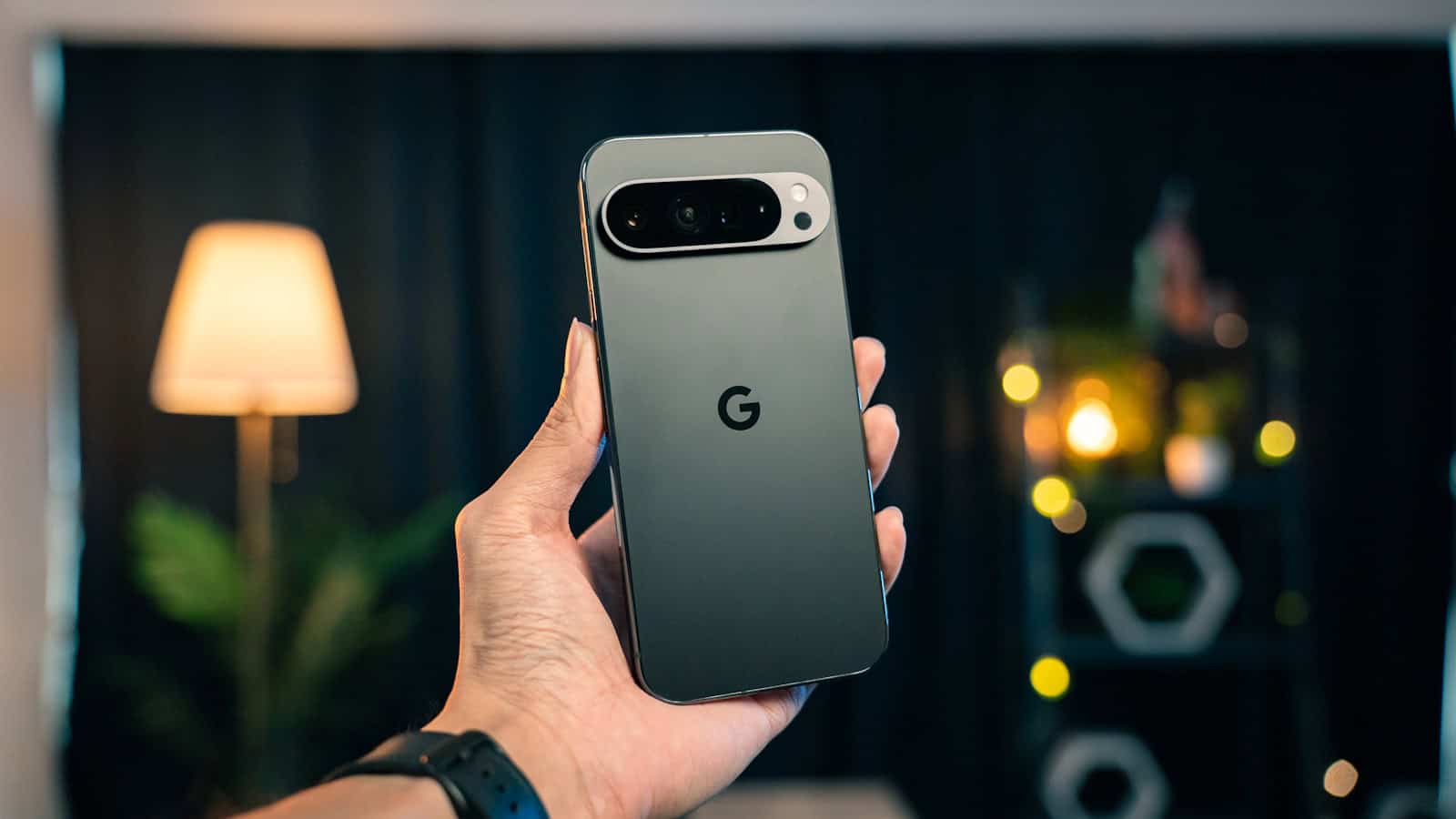
Every Pixel launch comes with a list of features that sound incredible in a keynote and turn out to be a party trick you use twice. And every Pixel also has two or three things that quietly change how you use a phone forever. The problem is that the marketing treats both categories identically.
The quick answer: The Pixel features genuinely worth switching platforms for are the call handling tools (screening unknown callers, holding on your behalf, and the on-device transcription that makes them work) plus the computational photography, particularly in bad light, and the years of fast, direct software updates. Those three change daily life. The overhyped end is the AI editing suite: Magic Eraser and its relatives are impressive in demos and inconsistent in real photos, and the generative editing features produce results you’ll rarely publish. Live Translate is somewhere in between: excellent when it works, unreliable enough that you shouldn’t plan a trip around it. If you’re deciding whether to switch, the honest test is whether you take a lot of calls from unknown numbers and shoot a lot of photos at night. If yes, switch. If no, the case is much weaker than the reviews suggest.
Genuinely worth switching for
Call Screen and Hold For Me
This is the Pixel’s best feature and it isn’t close.
Call Screen answers unknown numbers for you. Google’s assistant picks up, asks who’s calling and why, and shows you a live transcript on screen while it happens. You read the transcript and decide: pick up, or let it go. Spam callers hang up or get exposed immediately. Real callers state their business and you answer. In regions where it’s fully available, it can even screen calls automatically without you doing anything.
The reason this matters more than it sounds: unknown-number spam is now the single most annoying thing about owning a phone. Every other approach is reactive: block the number after it’s already interrupted you, or install an app that guesses based on a crowdsourced database. Call Screen intercepts the interruption itself. After a few months on a Pixel, going back to a phone that just rings feels genuinely worse.
Hold For Me is the same idea aimed at customer service queues. You call a support line, get put on hold, hand the call to the phone, and go do something else. When a human picks up, the Pixel alerts you. If you’ve ever spent forty minutes on hold with an airline, you understand the value immediately.
Both are limited by region and language availability, which is the main asterisk. Check whether they’re offered where you live before making a purchase decision around them.
Low-light photography
Pixel cameras have never had the biggest sensors or the longest zoom. What they have is the best image processing pipeline in the industry, and it shows most in the situations phones are traditionally worst at.
Night photography is the clearest example. Point a Pixel at a dim restaurant or a street at dusk and it produces something usable, with natural colours and controlled noise, without you doing anything. Competitors have closed a lot of that gap, but the Pixel’s advantage is consistency: it gets a good result on the first try, without you switching modes or bracing the phone.
The other quiet win is skin tones. Google put real work into rendering a wide range of skin tones accurately rather than defaulting to a single reference, and it shows in group photos where other phones make some faces look grey or over-brightened.
What isn’t a real advantage: zoom on non-Pro models, and video, where Pixels have historically trailed. If video quality is your priority, this is not the platform that wins on paper.
Updates that actually arrive
Pixels get Android versions the day they’re released, security patches monthly, and feature drops on a regular cadence between major versions. There’s no carrier certification delay, no manufacturer skin to re-integrate, no waiting three months to find out whether your model is on the list.
Google has also extended the support window substantially on recent Pixels: years of OS and security updates, well past what most Android phones offer. If you keep phones a long time, that’s a bigger financial argument than any single feature.
The honest caveat: shipping first also means shipping bugs first. Pixel updates have a genuine history of introducing regressions (battery drain, connectivity issues, camera glitches) that get fixed in the next drop. You’re the early access channel. Most of the time that’s fine. Occasionally it’s annoying.
Recorder and on-device transcription
The Recorder app transcribes speech to text as you record, entirely on the device, with no internet connection needed. Then it makes that transcript searchable, so you can find the moment in a two-hour recording where someone said a particular word.
If you’re a student, a journalist, or anyone who sits in meetings, this replaces a paid app. It’s also the underlying technology that makes Call Screen and Live Caption possible, which is why the Pixel’s speech features feel more responsive than cloud-based equivalents.
Live Caption
Automatic subtitles on any audio playing on the phone. A video, a podcast, a voice message, a call. On-device, instant, works on media with no captions of its own. It was built as an accessibility feature and it turns out to be broadly useful for anyone who watches video in public without headphones.
The overhyped ones
Here’s where I’ll be less kind than most reviews.
Magic Eraser and the AI photo editing suite
The demo is always the same: a beautiful beach, one stranger in the background, tap, stranger gone. And on that photo, it works perfectly.
On your photos, it works maybe half the time. The tool has to invent what was behind the thing it removed, and it’s only good at that when the background is simple and uniform: sky, sand, plain wall, still water. Remove someone standing in front of a bookshelf, a crowd, a patterned floor, or anything with strong lines, and you get a smeared, warped patch that’s more distracting than the original subject. Zoom in on the result and it’s obvious.
It’s a useful tool. It is not a reason to buy a phone. And the broader generative editing features (reimagining backgrounds, generating parts of a scene that were never there, swapping faces between burst shots) land in the same place: technically remarkable, genuinely fun for ten minutes, and rarely producing something you’d actually post. The face-swapping one in particular tends to produce group photos that look subtly wrong in a way people notice without being able to say why.
There’s also a fair question about whether you want to be routinely fabricating the contents of your own photographs. That’s a personal call, but it’s worth making consciously rather than because a menu option was there.
Live Translate
Real-time translation of conversations, messages, and camera text. When it works it’s genuinely magic. The problem is “when.”
Language pair support is uneven, accuracy degrades quickly with accents, background noise, idiom, and technical vocabulary, and the conversational mode requires both people to cooperate with an unfamiliar rhythm of speaking and pausing. For reading a menu or a sign, it’s great. For an actual conversation with a stranger, it’s a stilted experience that often produces a translation confident enough to be misleading.
Treat it as a helpful tool, not a replacement for knowing where you’re going.
The assistant and AI chat integration
Every Pixel generation promises a smarter assistant. In practice, the gap between the Pixel’s assistant and what you get on any other Android phone has narrowed to almost nothing, because Google ships its assistant improvements to the whole platform. The Pixel gets some things first. It rarely gets them exclusively for long.
If your reason for switching is “better AI assistant,” wait six months and your current phone will probably have most of it.
Adaptive battery and adaptive charging
Not bad features: just wildly oversold. Adaptive Battery learns your app usage and restricts background activity for apps you rarely open. Adaptive Charging holds the battery at 80% overnight and finishes just before your alarm, reducing wear.
Both are sensible. Neither is unique to Pixel anymore; equivalents exist across Android. And the day-to-day difference is small enough that you will never notice it happening. Good engineering, bad marketing claim. If battery is your actual concern, the settings that make the biggest real difference are mostly display-related and available on any phone.
The things nobody mentions that matter
Two practical points that don’t appear on feature lists.
The software is clean. No duplicate app for every function, no manufacturer store competing with the Play Store, no promotional notifications from a preinstalled shopping app. If you’ve been on a heavily-skinned phone, the reduction in noise is a real quality-of-life change that’s hard to appreciate until you experience it.
Availability is a real constraint. Pixels aren’t sold in every market, and several headline features are region-locked and language-locked. Call Screen in particular is far more capable in some countries than others. Before you switch for a specific feature, verify it works where you actually live and in the language you actually speak. This trips people up constantly.
So should you switch?
Switch if: you get a lot of spam calls, you shoot a lot of photos in poor light, you keep phones for four or more years, or you’re tired of manufacturer bloatware.
Don’t switch if: you shoot a lot of video, you need long-range zoom, you rely on features tied to another ecosystem’s accessories, or your primary interest is the AI editing tools. That last one is the trap. It’s the loudest part of the marketing and the weakest part of the product.
Frequently asked questions
Is the Pixel camera still better than Samsung’s?
It depends what you shoot. In low light and in point-and-shoot consistency, Pixel processing generally still leads. In zoom range, video quality, and sheer flexibility of the camera system, Samsung’s high-end models have the advantage. Samsung’s images are also more saturated and contrasty out of camera, which many people simply prefer. There’s no universal winner here, and anyone claiming otherwise is describing a preference as a fact.
Do Pixel features work outside the US?
Partially. Core features (the camera, Recorder, Live Caption, updates) work everywhere. Call-related features like Call Screen and Hold For Me have historically been limited by country and language, and rollout has been slow outside a handful of markets. Live Translate supports a limited language set. Check current availability for your specific country before buying on the strength of those features.
How long do Pixel phones get updates?
Google has extended its commitment significantly on recent models, covering many years of OS and security updates from launch. Older Pixels were on much shorter windows. If longevity is why you’re buying, check the stated support end date for the exact model you’re considering rather than assuming the current policy applied retroactively.
Are Pixels reliable?
Mixed record, honestly. Google has had genuine hardware quality issues across several generations, and being first to receive software updates means being first to hit their bugs. The counterweight is that fixes arrive quickly and directly, with no carrier or manufacturer delay. If you want a phone that never surprises you, a Pixel is not the safest pick. If you want one that gets better over its lifetime, it’s among the best.
The bottom line
The Pixel’s real advantage has always been the boring stuff done exceptionally well: calls, photos, and updates. The AI features that dominate the marketing are the least important part of owning one. Buy it for the phone call it answers on your behalf and the photo it saves in a dark room: not for the eraser tool you’ll stop using by month two.
Related: Pixel 6 Android 17 Update: The Last One, and What Happens After

Shivam has been working as a Tech journalist since 2014. He has worked at many Tech news blogs and Amazon India after that he joined TheLeaker in 2017 as a staff writer and now he’s an editor on the portal. When he is not working, you can find him playing games and listening to pop music. You can find him on Facebook and Twitter and can also contact him via email at [email protected]