
Your charger keeps falling out. Calls sound like they’re coming from inside a pillow. And the screen has a permanent smear that no amount of t-shirt rubbing will shift. All three usually come down to the same thing: gunk. Here’s how to clean your phone’s charging port, speakers, and screen properly: it costs almost nothing, but the most popular “fixes” on the internet are exactly the ones that kill phones.
The quick answer: Power the phone off first. For the charging port, use a wooden or plastic toothpick and gentle scraping motions to lift out the lint plug, then check with a flashlight. Never put metal in there. For speakers and mic holes, brush across the grille with a soft dry toothbrush and lift the loosened dust away with tape or a soft brush, never poke inward. For the screen, use a dry microfibre cloth first, and only if that fails, lightly dampen the cloth with a 70% isopropyl alcohol solution and wipe. Never spray liquid directly onto the phone, never soak anything, and never point a compressed-air can straight into a port or speaker. If a phone gets wet, skip the rice entirely: airflow and silica gel do far more.
Before you touch anything: three rules
These are the ones that separate a five-minute fix from a repair bill.
Rule one: power the phone off. A charging port has live contacts. If you’re going to be poking around in there with anything, a phone that’s fully powered down is a phone that can’t short a pin. It also means you won’t trigger phantom touches on the screen while you clean it.
Rule two: nothing metal goes into a port. No SIM ejector tools, no paperclips, no safety pins, no tweezers. USB-C ports have a fragile tongue in the middle holding a row of tiny gold contacts. Bend that tongue or scratch those contacts and the port stops working entirely. Replacing a charging port is a board-level or sub-board repair on most phones, and it is not cheap. A wooden toothpick, on the other hand, is softer than the metal shielding around it, so it gives way before the port does.
Rule three: liquid never goes in, only on. Your phone might be IP67 or IP68 rated, but those ratings are for clean fresh water at a specific depth for a specific time, and the seals degrade with age and drops. Alcohol is a different story again: it’s a solvent, and it will happily wick past adhesive and into gaps. Damp cloth, yes. Wet phone, no.
The charging port: the lint plug problem
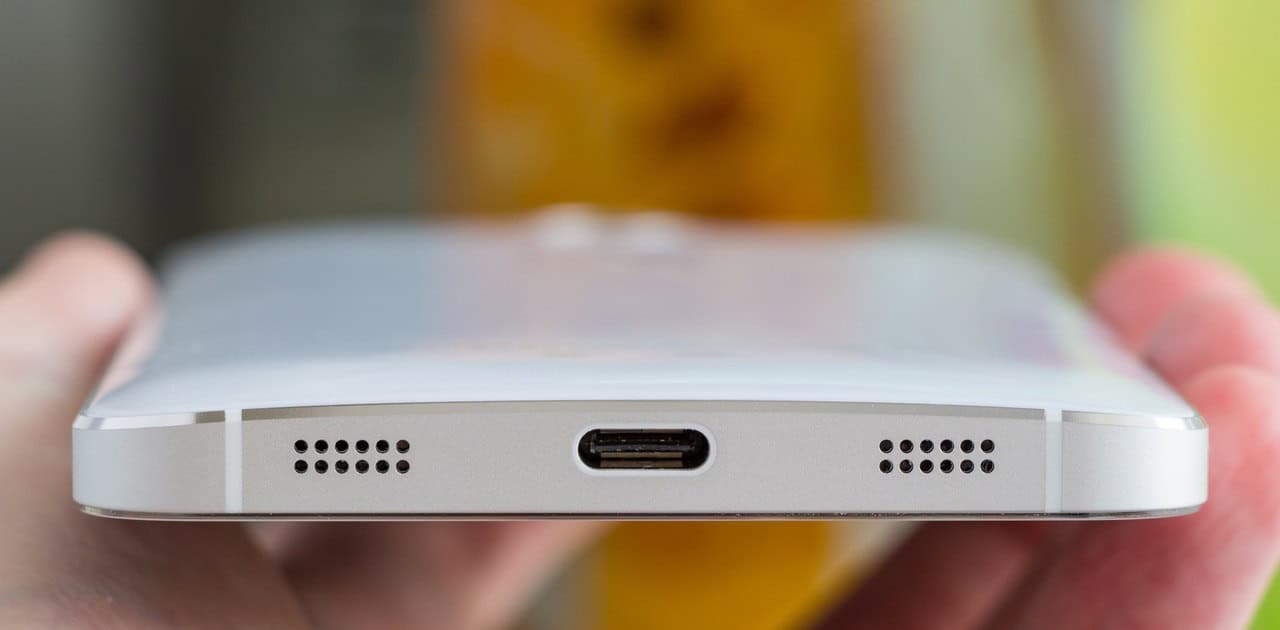
Here’s what’s actually happening when your cable feels loose or your phone charges only at certain angles. Your pocket sheds fibres. Every time you slide the phone in, the port scoops a few of them up. Over months they compress into a felt disc at the bottom of the port. Then when you push a cable in, you’re not pushing it into the port, you’re pushing it into a pad of lint, so it seats maybe two millimetres short. The contacts don’t line up. Charging becomes intermittent, or drops to trickle speeds, or stops.
The tell: if your cable used to click in with a satisfying bit of resistance and now it sits loose or wobbles, that’s lint, not a broken port. If the same cable and charger work perfectly on someone else’s phone, that’s more confirmation.
How to clear it
- Power the phone off completely. Not sleep. Off.
- Shine a light in. Use a second phone’s torch and actually look. You’re checking whether you see grey fuzz packed at the bottom, and where the middle tongue sits so you can avoid it.
- Use a wooden toothpick. Slide it in flat along the top or bottom wall of the port, not straight down the middle. Scrape gently toward yourself, dragging lint out rather than pushing it deeper. Work one side, then the other.
- Repeat and re-inspect. Most ports give up a surprisingly large grey wad. Keep going until the light shows clean metal at the bottom.
- Test with the cable. It should now click in and feel firm.
If a toothpick feels too fat for the gap on a USB-C port, a plastic interdental brush (the tiny ones for teeth) works well, or the corner of a folded piece of card. Some people wrap a thin layer of tape sticky-side-out around a toothpick to grab fibres, which works, but go carefully so the tape doesn’t peel off inside.
On compressed air: the canned stuff is not really air, it’s liquefied propellant, and if you tilt the can or hold the trigger down it sprays cold liquid. Into a charging port, that’s bad. If you use it at all, keep the can perfectly upright, use very short bursts from a few centimetres away at an angle, and never invert it. Honestly, for lint, the toothpick works better anyway. Compressed air blows dust around; it doesn’t shift compacted felt.
What not to do: don’t blow into the port with your mouth. Your breath carries moisture straight onto the contacts, which is how corrosion starts. And don’t use a vacuum nozzle pressed against the port. The static risk is small but real, and the suction rarely reaches compacted lint anyway.
Speakers, earpiece, and mic holes
Speaker grilles are the opposite problem. There’s a mesh or a fine grille protecting a driver behind it, and you’re trying to clear the surface without pushing anything through. Anything you push in lands on the speaker membrane, and that’s where muffled sound comes from permanently.
Use a dry, soft-bristled toothbrush and brush across the grille, parallel to the phone’s surface, not into it. Hold the phone with the speaker facing down so gravity is on your side and the loosened dust falls out. Then lift the residue away by dabbing with a piece of sticky tape or blue tack pressed lightly on and pulled straight off.
The earpiece speaker at the top of the screen is the one that gets worst, because it collects skin oil and face makeup as well as dust. Same technique, but be extra gentle. That grille is often a thin mesh glued in place. If the mesh looks greasy rather than dusty, a microfibre cloth barely dampened with isopropyl and dragged sideways across it will lift the film.
Never use a pin, needle, or SIM tool on speaker holes. On many phones the mic hole is a single tiny pinhole with a waterproofing membrane behind it, and puncturing that membrane both ruins the mic and voids the water resistance. If people say you sound distant on calls, clean the outside of that hole; don’t dig into it.
If sound is still muffled after cleaning, the problem may not be dirt at all. Some phones can play a low-frequency tone that vibrates moisture out of the speaker. Samsung includes a water-eject style test in the diagnostics section of the Samsung Members app on Galaxy phones, and there are free tone-based apps that do the same job on any handset. It’s worth trying before you assume hardware failure. We covered the wider set of causes in our guide on hidden Android settings worth changing, some of which affect audio routing.
The screen and the back
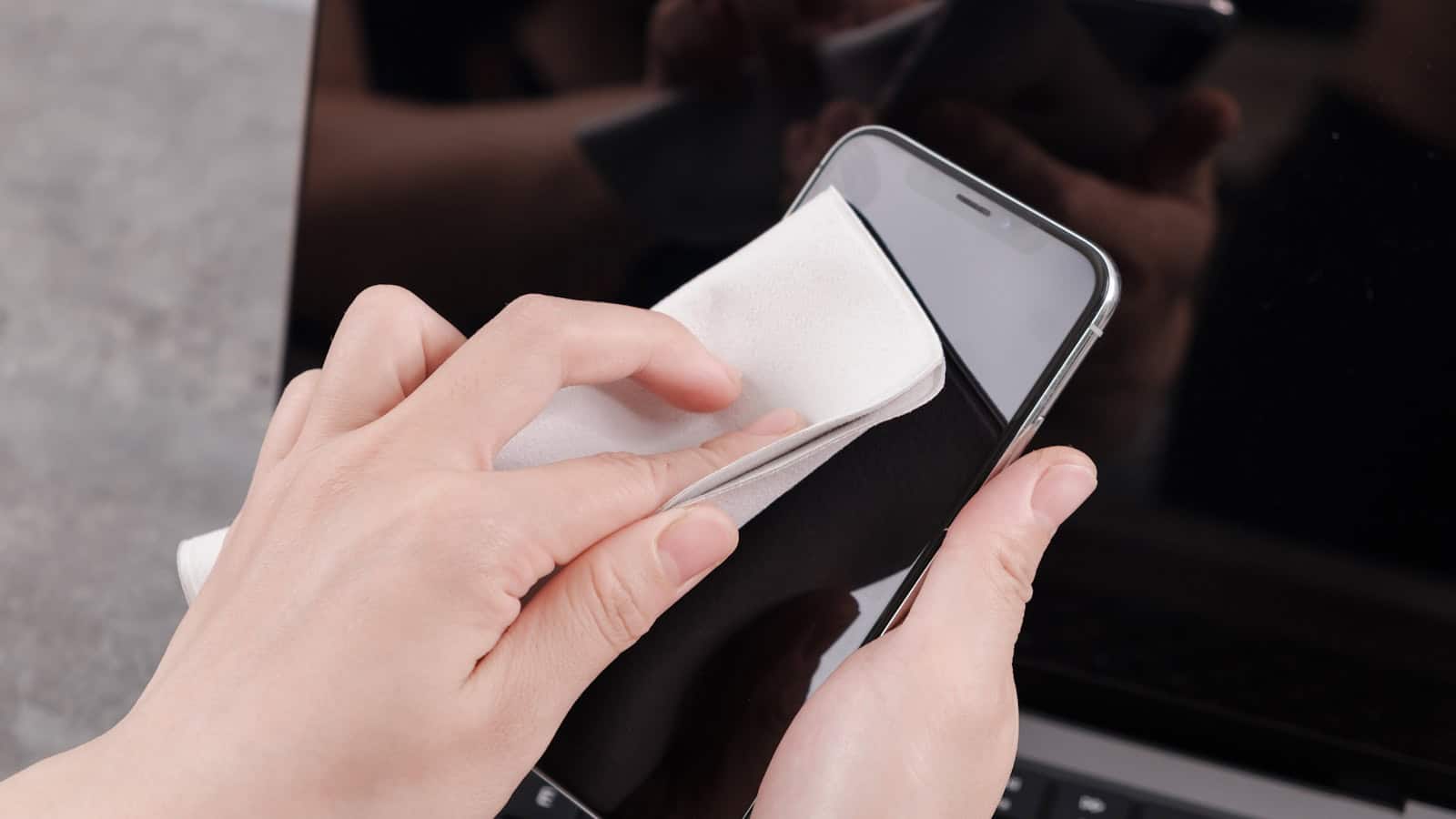
Start dry. A clean microfibre cloth removes most fingerprints on its own, and dry beats damp for everyday smudges. Wipe in one direction rather than circles: circles just redistribute oil.
For anything the dry cloth won’t lift, use isopropyl alcohol at around 70%. Higher concentrations evaporate faster but are harsher on coatings; 70% is the sweet spot and is what most electronics cleaning wipes contain anyway. Put a small amount on the cloth, not on the phone, until the cloth is barely damp. You should not be able to squeeze a drop out of it. Then wipe.
Things to avoid on a screen:
- Window cleaner and household sprays. Ammonia strips the oleophobic coating that makes your screen feel slippery and resist fingerprints. Once that’s gone, it doesn’t come back, and the screen feels grabby forever.
- Paper towel, tissue, and t-shirts. Wood fibre is abrasive at a microscopic level and dulls coatings over time. Microfibre or nothing.
- Bleach and disinfectant wipes with hypochlorite. Same coating problem, plus they can discolour plastic frames.
- Hand sanitiser. It contains glycerine and fragrance that leave a film.
For the frame and the seam between glass and body, a cotton bud very lightly dampened with isopropyl gets into the gap without flooding it. Do the same around camera lenses. A smeared lens is behind a lot of “my camera has gone blurry” complaints, and it takes three seconds to fix.
If you use a case, take it off and clean under it. That’s where grit collects, and grit trapped between case and phone is what puts hairline scratches on the back glass.
The rice myth, and what to do with a wet phone
Putting a wet phone in a bag of rice is one of the most durable pieces of bad advice on the internet. Rice is a poor desiccant. It absorbs moisture from the air slowly and it can’t reach water that’s already sitting inside a sealed phone body. Worse, rice dust and starch get into ports and grilles, and now you have a wet phone with debris in it.
What actually helps:
- Power it off immediately and leave it off. Most water damage isn’t the water, it’s current flowing through wet circuitry. Don’t charge it. Don’t plug anything in “just to check”.
- Get the bulk water out. Blot the outside dry. Hold the phone with the ports facing down and tap it gently against your palm to drain the openings. Remove the case, SIM tray, and any memory card.
- Airflow, at room temperature. Stand the phone upright on a dry cloth in a spot with moving air. A fan pointed at it is ideal. No hairdryers, no radiators, no ovens. Heat drives moisture deeper and can warp adhesive and damage the battery.
- Silica gel if you have it. Those little packets that come in shoeboxes and vitamin bottles are actual desiccant. Seal the phone in a container with a decent quantity of them. Cat litter made of silica crystals is the cheap bulk version. This genuinely outperforms rice.
- Wait longer than feels necessary. 24 to 48 hours minimum before you try to power it on.
If the water was salty, chlorinated, or sugary, get it to a repair shop rather than drying it yourself. Those liquids leave corrosive or conductive residue behind even after the water evaporates, and a technician can clean the board properly.
How often should you actually do this?
Charging port: check it every couple of months, or the moment your cable starts feeling loose. If you carry the phone in a trouser pocket, make it monthly. Speakers: whenever calls or media start sounding thin. Screen and camera lens: whenever it looks dirty, which for most people is daily for the screen.
A couple of habits cut the workload a lot. Switching to wireless charging where possible means the port sees far less traffic. A cheap silicone port plug helps if you work in a dusty environment, though it’s one more thing to lose. And putting the phone in a jacket pocket or bag rather than jeans dramatically reduces lint intake.
One last note: cleaning fixes dirt problems. It doesn’t fix a swollen battery, a failed charging IC, or a cable that’s frayed at the connector. If you’ve cleared a genuinely clean port and charging is still flaky, try a different cable and a different wall adapter before you blame the phone. And if the phone is also running hot while charging, that’s a separate signal worth chasing down in our guide to why phones overheat and how to cool them down.
FAQ
Can I use rubbing alcohol from the pharmacy on my phone?
Yes, if it’s isopropyl alcohol at around 70% and you apply it to a microfibre cloth rather than the phone. Avoid products that add glycerine, fragrance, or moisturisers, since those leave a film. Keep it off the camera lens coatings if you can, and never let liquid pool around the port or speaker openings.
Is it safe to put a toothpick in a USB-C port?
A wooden or plastic toothpick is generally safe because it’s softer than the port hardware and will break before it bends anything. The technique matters more than the tool: go in along the top or bottom wall, scrape outward, and stay away from the raised tongue in the centre that holds the contacts. Power the phone off first.
Why do my speakers still sound muffled after cleaning?
Either debris has already been pushed onto the speaker membrane, there’s moisture trapped inside, or the driver itself is failing. Try a water-eject tone first, then check whether the problem exists in every app, if one app is quiet and others aren’t, it’s a software volume issue, not dirt. Persistent muffling on all audio after a proper clean usually means a hardware repair.
Does compressed air damage phones?
It can. Canned dusters spray cold liquid propellant if tilted or held down, and the pressure can push debris deeper into a speaker or damage a mic membrane. If you use one, hold it upright, use short bursts at an angle from a few centimetres away, and never aim it straight into an opening. For lint in a charging port, mechanical scraping works better regardless.

Hola everyone! I’m Sajid and I’m a typical freelance Graphic Designer with a keen interest in technology and science stuff. I actually like to write about the recent happenings around the world of technology as a part of The Leaker.