
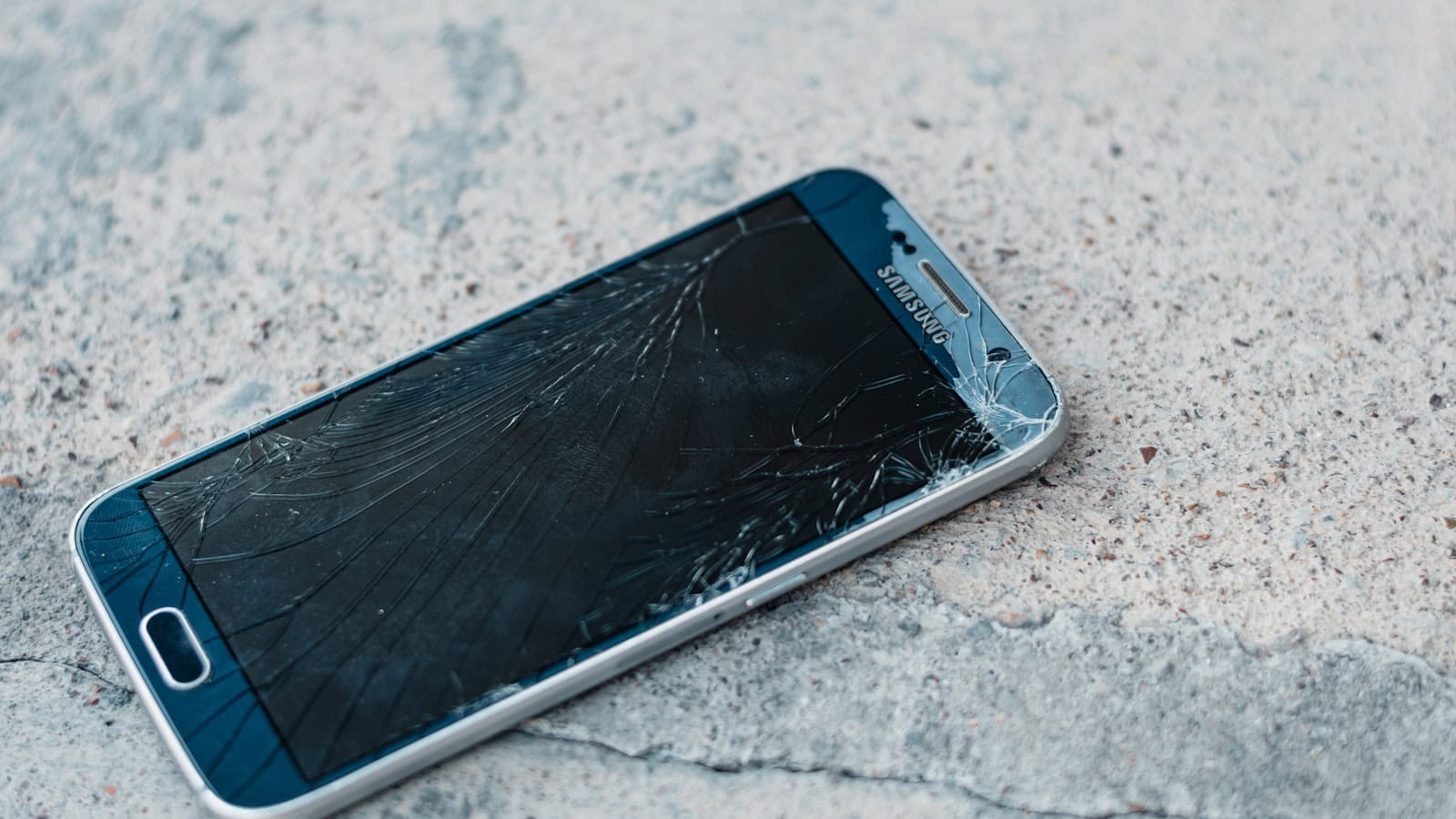
You set the phone down wrong, or it slid off the car seat, and now there’s a spiderweb across the display. The first thing everyone does is Google the repair price and panic. The second thing they do is nothing at all, for about six months, while the crack quietly gets worse.
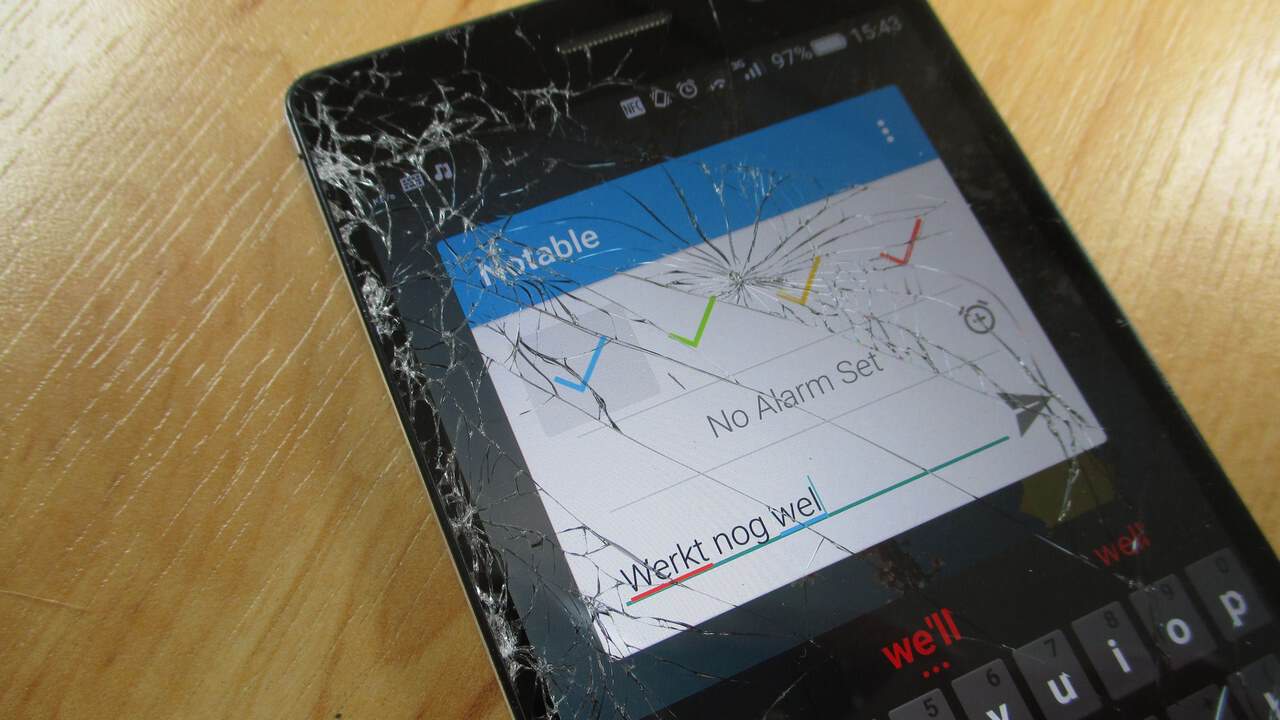
Neither reaction is useful. A cracked screen is a decision with maybe five real options, and which one is right depends less on the crack and more on how old the phone is and what else is wrong with it.
The quick answer: If the crack is cosmetic and the touch layer still works, doing nothing is a legitimate short-term choice: cover it with a screen protector to stop glass shards and slow the spread, and keep using the phone. If touch is dead in patches, the display shows lines or black blotches, or the crack is deep enough to expose the panel, get it repaired properly. Official manufacturer repair costs the most but preserves water resistance, fingerprint calibration and warranty. A reputable independent shop costs less and is usually fine on an older phone. DIY kits are the cheapest and the riskiest: modern screens are glued to the battery compartment, and puncturing a lithium cell is a fire, not an inconvenience. If the phone is three or four years old, past its update window, and the battery is already tired, the repair money is often better spent as a deposit on a replacement.
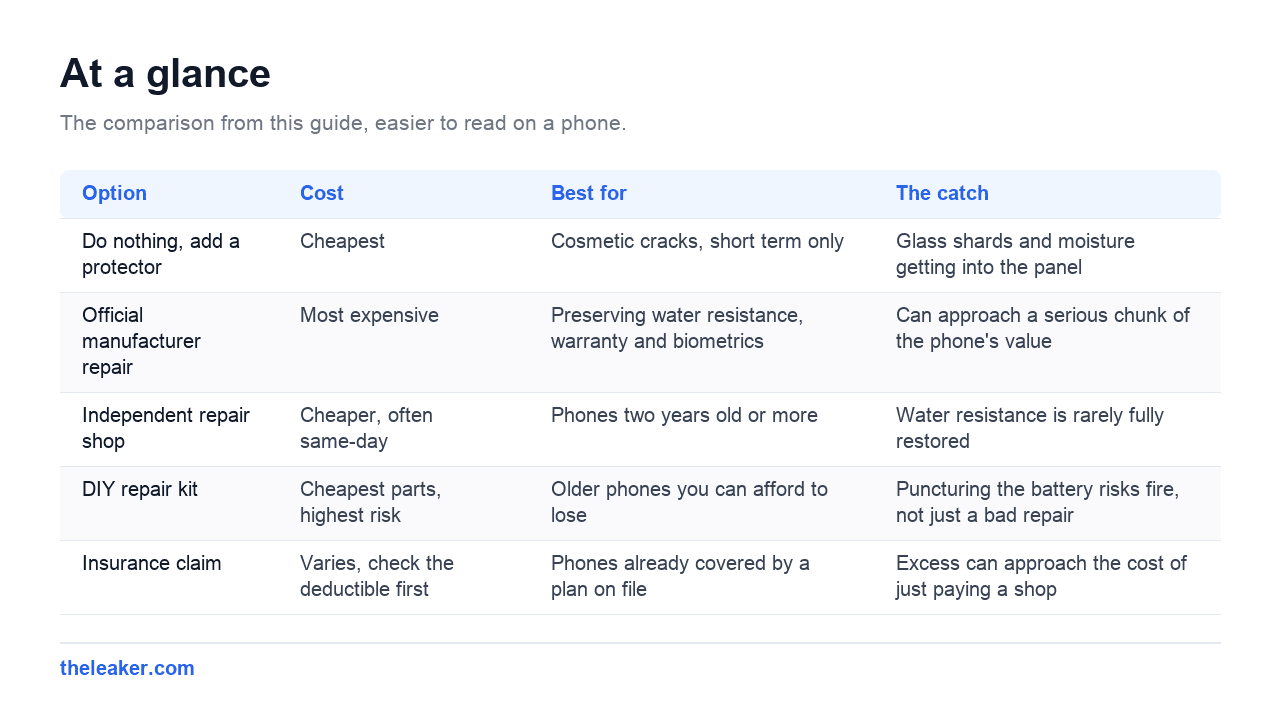
| Option | Cost | Best for | The catch |
|---|---|---|---|
| Do nothing, add a protector | Cheapest | Cosmetic cracks, short term only | Glass shards and moisture getting into the panel |
| Official manufacturer repair | Most expensive | Preserving water resistance, warranty and biometrics | Can approach a serious chunk of the phone’s value |
| Independent repair shop | Cheaper, often same-day | Phones two years old or more | Water resistance is rarely fully restored |
| DIY repair kit | Cheapest parts, highest risk | Older phones you can afford to lose | Puncturing the battery risks fire, not just a bad repair |
| Insurance claim | Varies, check the deductible first | Phones already covered by a plan on file | Excess can approach the cost of just paying a shop |
First, work out what actually broke
“Cracked screen” covers at least three different failures, and they cost very different amounts to fix.
Cracked glass only. The outer layer is damaged but the display underneath is intact. Colours are right, brightness is even, touch works everywhere. This is the best case. On most modern phones the glass and the display panel are laminated into one assembly, so a shop still replaces the whole unit, but the phone remains fully usable in the meantime.
Damaged display panel. Black ink-like blotches that grow over days, vertical or horizontal coloured lines, a section that’s permanently dark. That’s the OLED or LCD layer itself, not the glass. It doesn’t heal, and the blotches usually spread. This one needs fixing.
Digitiser failure. The screen looks fine but part of it ignores your finger, or the phone registers ghost taps you never made. Sometimes the whole thing is unusable because a phantom touch keeps stealing focus.
Test the touch layer before you decide anything. Open a drawing app or the built-in notes app and drag a single unbroken line slowly across every part of the screen, edge to edge, including the corners. Any gap in that line is a dead zone. If you find dead zones near the bottom, check whether the on-screen keyboard and the navigation gestures still work. Those are the areas you’ll miss first.
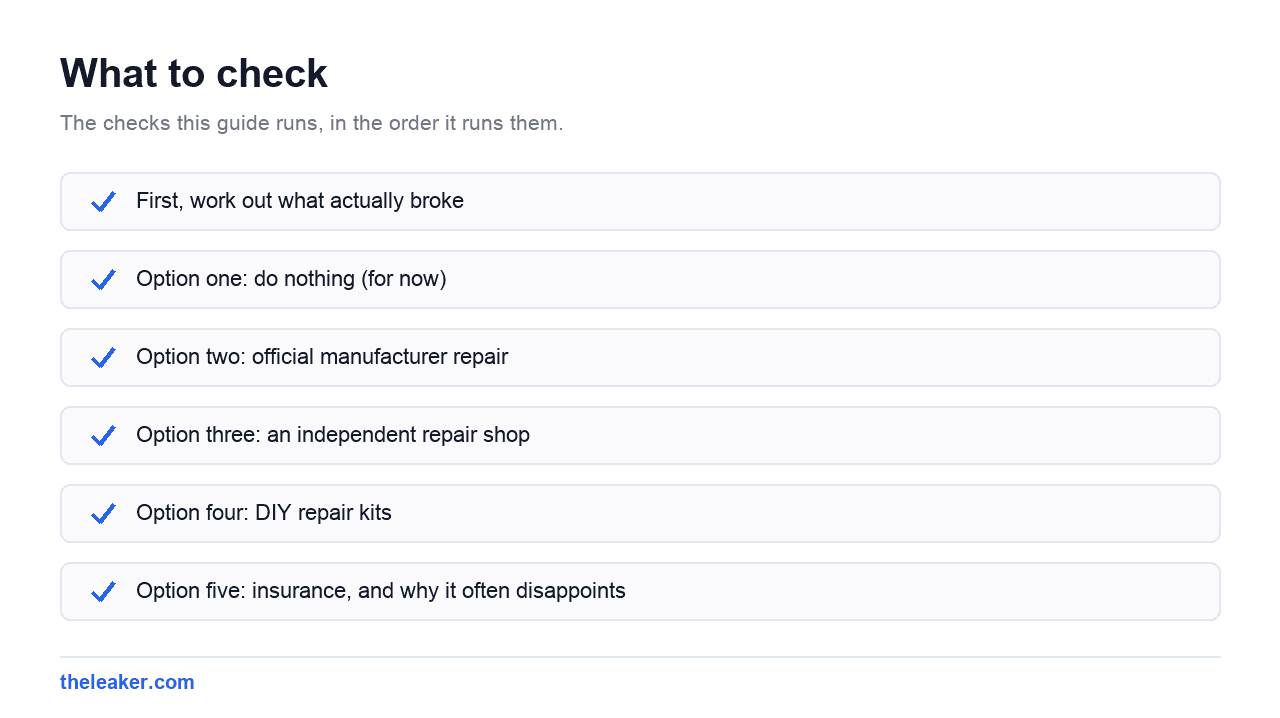
Option one: do nothing (for now)
This gets dismissed too quickly. If the damage is cosmetic and the phone still does everything you need, waiting is rational: especially if you’re a few months out from replacing the phone anyway.
Two caveats. Cracked glass sheds tiny shards, and people genuinely do get slivers in a fingertip or, worse, near an eye. And a crack that reaches the edge of the panel lets in dust and moisture, which is how a cosmetic crack becomes a dead display.
So if you’re going to wait, wait properly: put a tempered glass screen protector straight over the crack. It holds the loose glass down, stops the shedding, and adds a bit of structural pressure that slows the spread. It won’t look pretty, the crack shows through and there’ll be air pockets along the fracture lines, but it buys months. This is a stopgap, not a repair, and it’s worth being honest with yourself about which one you’re doing.
Option two: official manufacturer repair
Samsung, Google and the rest all run authorised service channels, either their own walk-in centres or partner shops. You send the phone in or hand it over, and it comes back with a genuine part fitted by someone who does this all day.
What you’re paying for isn’t just the glass. It’s the parts that come attached to the screen assembly and the calibration that happens afterwards:
- Water resistance. The screen is bonded to the frame with adhesive that forms part of the phone’s seal. Official repairs re-apply that adhesive correctly. Most independent repairs do not restore the original rating, and honest shops will tell you so.
- Under-display fingerprint sensors. On phones where the reader lives beneath the OLED, the sensor is calibrated to that specific panel. Fit a random replacement and the reader can end up slow, unreliable, or refusing to enrol new fingerprints at all. Authorised repairs pair the new panel properly.
- Warranty. Accidental damage isn’t covered by warranty anywhere, but an official repair keeps the rest of your warranty intact. A third-party repair can give the manufacturer grounds to decline a later, unrelated claim.
- Panel quality. Genuine OLED panels match the original for colour, brightness and refresh rate. Aftermarket panels vary enormously: some are excellent, some are dim LCDs sold as OLED replacements with visibly worse blacks and a lower refresh rate than you paid for originally.
The trade-off is cost. Official screen repair is the single most expensive route, and on flagship phones with curved or foldable displays it can approach a serious chunk of what the phone is worth. That’s the whole tension in this decision.
Option three: an independent repair shop
For a phone that’s two years old or more, a good independent shop is usually the sensible middle. It’s meaningfully cheaper, it’s often same-day, and for a phone you’re planning to keep another year or two, the compromises matter less.
How to pick one:
- Ask what part they’re fitting. “Genuine”, “original equipment pull” (harvested from another handset), “hard OLED”, “soft OLED” and “aftermarket LCD” are all different things at different prices. A shop that can’t or won’t explain which one you’re getting is a shop to walk out of.
- Ask about the warranty on the repair. A decent shop backs its work for a period. Get it in writing on the receipt.
- Ask directly about water resistance. The honest answer is almost always “it won’t be the same after this.” A shop that promises full IP rating restoration is either unusually well-equipped or telling you what you want to hear.
- Ask about the fingerprint sensor if your phone has one under the display. Some shops handle the pairing; some hand you back a phone where the reader barely works.
- Back up the phone before you hand it over. Always. Repairs occasionally go wrong, and a phone that leaves your hands should never be the only copy of your photos.
One brand note: Samsung’s One UI and Google’s Pixel software both surface warnings when they detect a non-genuine display part, and Pixels in particular can flag it in Settings. It’s informational rather than a lockout, but don’t be alarmed when it appears.
Option four: DIY repair kits
Replacement screen kits exist for most popular models, complete with adhesive, prying tools and a suction cup. They cost a fraction of a shop repair. They’re also the option most likely to end with a phone that’s worse than when you started.
Here’s what the tutorials underplay:
- Everything is glued. Getting a modern screen off means heating the adhesive and patiently working a thin blade around the perimeter. Too little heat and you crack the frame; too much and you cook the OLED or the battery.
- The battery is right there. On many phones the pry path runs close to the battery. Puncturing a lithium-ion cell causes thermal runaway: flames and toxic smoke, in seconds, in your hands. This is the single reason to think twice.
- Ribbon cables are fragile and expensive. A torn digitiser flex or a damaged front camera cable turns a screen repair into a motherboard problem.
- Biometrics may not survive. Under-display fingerprint readers frequently don’t work correctly with a DIY panel, because you have no way to run the calibration.
- Water resistance is gone. Consumer adhesive strips won’t reproduce a factory seal.
DIY makes sense in a narrow case: an older phone with a separate (non-laminated) digitiser, a device you can afford to lose, and a willingness to write the whole thing off. It is not a way to save money on a phone you depend on.
Option five: insurance, and why it often disappoints
Check before you pay for anything. You may already be covered and not know it.
Look at your carrier’s device protection plan, any manufacturer accidental-damage plan you bought at purchase, your home or contents insurance (some policies cover portable electronics), and the credit card you bought the phone with: several cards include limited purchase protection for a period after purchase.
The two things that catch people out: the deductible or excess, which on a mid-range phone can approach the cost of just paying a shop directly; and the claim itself, which may raise your premium or count against a limited number of claims per year. Do the arithmetic before filing. Insurance that costs almost as much as the repair isn’t insurance, it’s paperwork.
Standard manufacturer warranty covers manufacturing defects. It does not cover drops. Nobody’s warranty covers drops.
When replacing beats repairing
The rough rule most repair techs use: if the repair costs more than about half what the phone is currently worth, it’s a bad trade. Beyond price, replace rather than repair if two or more of these are true:
- The phone no longer gets security updates, or is within a year of losing them.
- The battery already needs replacing too. That’s two repairs stacking up.
- It’s slow enough that you’ve been thinking about upgrading anyway.
- Something else is already broken: a dodgy charging port, a camera that won’t focus, a speaker that rattles.
- The screen is curved or foldable, which pushes repair costs into a different bracket entirely.
Conversely, repair is clearly right when the phone is under two years old, still getting updates, the battery is healthy, and the screen is the only thing wrong with it. A newer phone with one broken part is worth fixing.
If you land on “keep it a bit longer”, it’s worth making the rest of the phone feel better while you’re at it. There are hidden Android settings that make the phone feel noticeably faster, and if storage is part of why it’s dragging, you can free up space without deleting anything you care about.
Before you hand the phone to anyone
Back it up. Photos, messages, authenticator apps. Note down which two-factor codes live on the device, because if the phone doesn’t come back you’ll need the recovery codes for those accounts.
Sign out of accounts if you’re sending the phone away rather than waiting in the shop, and remove the SIM and any memory card. Turn off the screen lock only if the shop specifically needs it to test the touch layer, and change it back afterwards.
Frequently asked questions
Will a cracked screen keep getting worse if I ignore it?
Usually, yes. Glass under tension keeps propagating, and every temperature swing, pocket flex and small knock extends the fracture. Cracks that reach the edge of the panel are the ones to worry about, because that’s where dust and moisture get in and start killing the display underneath. A tempered glass protector fitted over the top genuinely slows this down by holding the surface together.
Is a phone with a cracked screen dangerous to use?
The realistic risk is glass slivers in your fingertip, which is unpleasant rather than serious. The bigger risk is what a deep crack lets in: moisture reaching the panel or the internals can cause a failure that’s far more expensive than the screen. If glass is actually lifting or flaking, cover it with a protector or stop using it until you can get it fixed.
Will a third-party screen repair void my warranty?
It won’t void the warranty for unrelated faults in every jurisdiction, consumer law in many countries protects you there, but in practice a manufacturer can decline a claim if they judge the third-party repair contributed to the new fault. If the phone is still young and under warranty for other things, official repair is the safer route. If it’s out of warranty anyway, the argument disappears.
My screen works fine but the touch is dead in one strip. Can that be fixed without replacing the screen?
Rarely. On laminated assemblies the digitiser is bonded to the display, so replacing the touch layer means replacing the whole unit. Before you accept that, restart the phone and try it in safe mode. A misbehaving app can produce touch problems that look like hardware failure. If the dead strip persists in safe mode and after a restart, it’s the digitiser.

Shivam has been working as a Tech journalist since 2014. He has worked at many Tech news blogs and Amazon India after that he joined TheLeaker in 2017 as a staff writer and now he’s an editor on the portal. When he is not working, you can find him playing games and listening to pop music. You can find him on Facebook and Twitter and can also contact him via email at [email protected]