

Every tech video you watch has a VPN ad in the middle of it. Hackers on coffee shop Wi-Fi. Your ISP selling your soul. A map of the world with glowing red dots. It’s effective marketing, and most of it is nonsense.
So here’s an honest attempt at the question nobody selling a VPN will answer straight: do you actually need a VPN on your phone?
The quick answer: For most people, most days: no. A VPN encrypts the traffic between your phone and a server run by the VPN company, then sends it on from there. That’s genuinely useful in three situations: you’re on untrusted Wi-Fi and using something that isn’t already encrypted, you need to appear to be in another country, or you’re on a network that blocks things you legitimately need. Outside those cases, a VPN mostly moves the question of “who can see my traffic” from your ISP to a company you know less about. It does not make you anonymous, it does not stop tracking (that’s cookies, your ad ID, and app SDKs: none of which care about your IP), and it does not protect you from malware or phishing. Almost every site and app you use is already encrypted with HTTPS. The VPN industry’s marketing is scarier than the threat.
Let’s break down what a VPN actually does, what it doesn’t, and the specific times it’s worth having on your phone.
What a VPN actually does
Strip away the marketing and it’s simple plumbing. Normally your phone talks to a website, and your network operator (the coffee shop router, your mobile carrier, your home ISP) can see which sites you’re connecting to, though not what you’re doing on them if the site uses HTTPS.
Turn on a VPN and your phone builds an encrypted tunnel to a server run by the VPN provider. All your traffic goes down that tunnel first, then out to the internet from the VPN server’s address. Two things change:
- Your local network and your ISP can no longer see which sites you’re visiting. They just see an encrypted stream to one server.
- Websites see the VPN server’s IP address and location instead of yours.
That’s it. That’s the whole product. Everything else in the ads is an extension of those two facts, and most of the extensions don’t hold up.
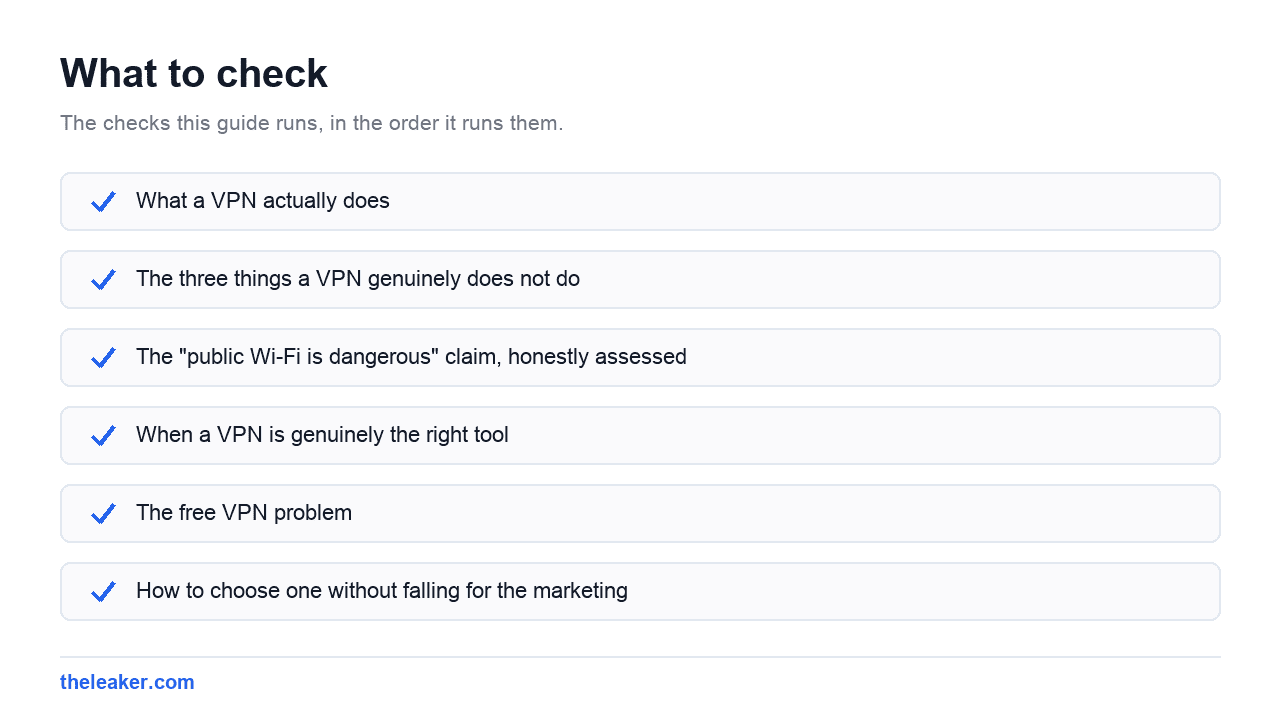
The three things a VPN genuinely does not do
It does not make you anonymous
This is the big one. Your IP address is a minor part of how you’re identified online. You’re logged into Google. You’re logged into your email, your bank, your socials. Your phone has an advertising ID. Apps carry analytics SDKs that report a device fingerprint. Cookies persist across the connection change.
Switching your IP while staying logged into everything is like wearing a mask with your name printed on it. The services you use know exactly who you are. You told them.
It does not stop tracking or ads
Ad networks track you with identifiers, not IPs. Some VPN apps bundle a DNS-based blocker, which does help, but that’s a separate feature you can get for free without a VPN at all, using Android’s built-in Private DNS setting.
It does not protect you from malware, phishing, or scams
An encrypted tunnel to a malicious site is still a connection to a malicious site. If you type your password into a phishing page over a VPN, the phisher gets your password. Some providers add a blocklist feature: again, a bolt-on, not the VPN.
The “public Wi-Fi is dangerous” claim, honestly assessed
This is the scenario every VPN ad leans on, and it’s the one that’s changed the most.
Fifteen years ago, plenty of websites sent your login over plain HTTP. Anyone on the same café Wi-Fi could sit there with a packet sniffer and collect credentials. That was a real, easy attack, and the “hacker in a hoodie at the next table” imagery came from something true.
Today, the overwhelming majority of web traffic is HTTPS. Chrome warns you loudly when it isn’t. Every banking app, messaging app, and email client on your phone uses certificate-pinned TLS. Someone sniffing café Wi-Fi sees encrypted noise and a list of domain names.
So the honest version is: public Wi-Fi is much safer than it used to be, and a VPN on public Wi-Fi is a reasonable but modest upgrade. What it still buys you:
- The network operator can’t see which sites and services you’re using. That metadata is worth something.
- Protection against a hostile network doing DNS tricks or trying to redirect you.
- Cover for the small number of apps that still handle TLS badly.
What it doesn’t buy you: safety from a captive portal that asks for your email, or from you tapping “accept” on a certificate warning. Those are the actual risks on public Wi-Fi now, and a VPN doesn’t touch either.
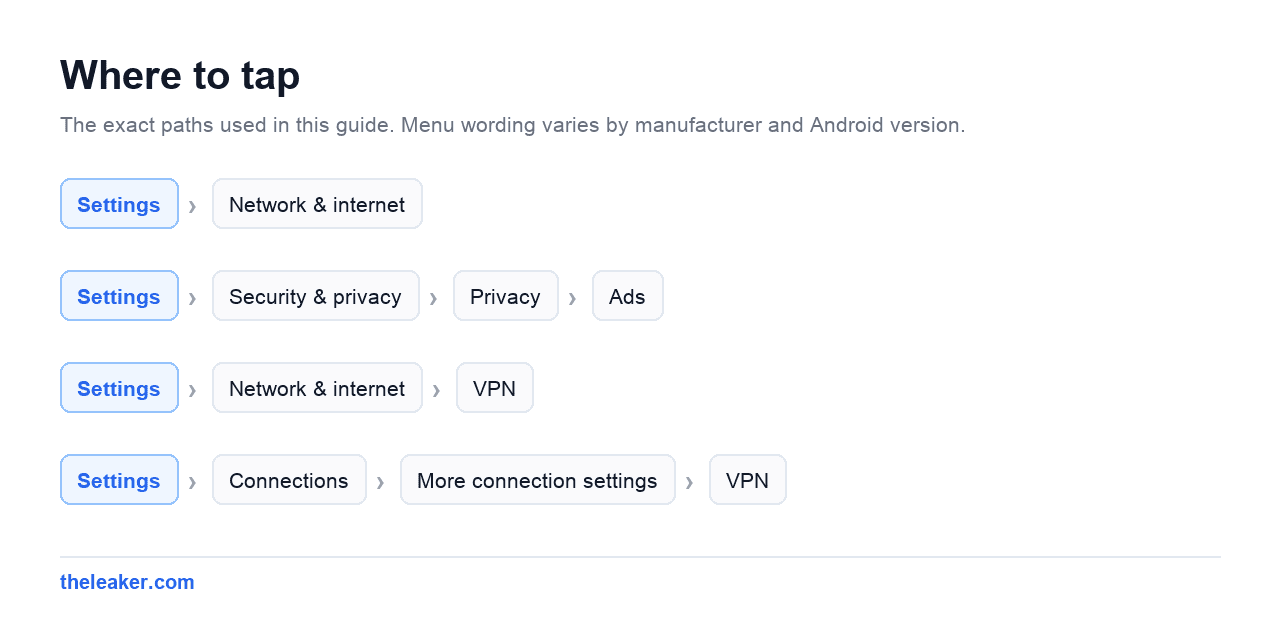
A practical middle ground: leave the VPN off day to day, and turn it on when you’re on hotel, airport, or conference Wi-Fi. Android makes this easy: VPN apps can be toggled from Quick Settings, and Settings → Network & internet → VPN has an “Always-on VPN” switch if you want it locked on for specific networks.
When a VPN is genuinely the right tool
Region-shifting
The most common honest use. Your streaming subscription has a different catalogue abroad. A service you paid for is geo-restricted while you travel. A site is blocked in the country you’re visiting. A VPN solves all of these directly, because moving your apparent location is literally what it does.
Be aware that major streaming services actively detect and block VPN server ranges, so this is an arms race and success varies. And check your provider’s terms: using a VPN to access a service isn’t illegal, but it may breach that service’s terms of use.
Restrictive or monitored networks
Office Wi-Fi, university networks, some hotels, and some countries filter traffic aggressively. If you need access to something legitimate that the network blocks, a VPN routes around it. This is also the case where you should think hardest about the rules you’re operating under.
Hiding activity from your ISP specifically
Some ISPs in some countries log and monetise browsing data, or are legally required to retain it. If that’s your concern and you trust the VPN provider more than your ISP, the swap makes sense. That’s a real judgement call, not a slam dunk. You’re picking who gets the data, not eliminating it.
Working with a specific, named threat
Journalists, activists, people in hostile network environments. If this is you, you already know it, and you need a considered setup rather than an app store download.
The free VPN problem
Running VPN servers costs real money: bandwidth, hardware, staff. If you’re not paying, that cost is covered another way.
Free VPN apps have repeatedly been found injecting ads, logging and selling browsing data, or shipping outright shady code. You’ve handed one company complete visibility into every connection your phone makes, and given them a business reason to look at it. That is strictly worse than your ISP, who at least has a contract with you and a regulator.
If you decide you need a VPN, pay for it. If you’re not willing to pay for it, that’s a useful signal that you don’t need it.
How to choose one without falling for the marketing
Staying vendor-neutral here, the things that actually matter:
- A published, independently audited no-logs policy. Not a claim on a landing page. An audit report you can read, dated recently.
- Jurisdiction. Where the company is legally based determines who can compel it to hand over data.
- Modern protocols. WireGuard or IKEv2. Anything still pushing PPTP is not serious.
- A working kill switch, so traffic stops rather than leaking if the tunnel drops. On Android this pairs with the system’s “Block connections without VPN” toggle under the VPN settings gear icon.
- Ignore the speed claims and the server counts. Both are marketing numbers.
Also ignore anything that implies a VPN makes you invisible, untrackable, or immune to hacking. A provider willing to say that in an ad is telling you something about its honesty.
The battery and speed cost
Nobody mentions this. A VPN adds encryption work and an extra hop. Expect some measurable battery drain from an always-on tunnel, and a latency increase: small if the server is nearby, large if you’ve routed through another continent. Throughput usually drops somewhat, occasionally a lot on congested servers.
If your phone’s battery has been mysteriously worse since you installed one, that’s not a mystery. Same category of background drain as the settings covered in our guide to the hidden Android settings that speed up your phone: worth a look if you’re chasing runtime.
The honest recommendation
Don’t run a VPN all the time unless you have a specific reason. Do these instead, in this order, because they buy more privacy for zero cost:
- Delete your advertising ID (Settings → Security & privacy → Privacy → Ads).
- Audit your app permissions.
- Set a Private DNS provider that blocks trackers.
- Use a browser that blocks third-party cookies.
- Turn on two-factor authentication everywhere.
Then, if you travel, or you want your streaming catalogue back, or you’re regularly on networks you don’t trust: pay for a reputable VPN and switch it on for those moments. That’s a tool used properly, which is a very different thing from a subscription you bought because an ad frightened you.
Frequently asked questions
Do I need a VPN on my phone when travelling internationally?
Sometimes, for two different reasons. If you want your home country’s streaming catalogue, banking site, or a service that’s blocked where you’re going, then yes. That’s the strongest ordinary use case there is. If it’s purely about hotel and airport Wi-Fi safety, the benefit is modest, because your apps are already encrypted. Check local law first: a handful of countries restrict or ban VPN use, and rules change.
How do I know if I already have a VPN running on my phone?
Look for a small key icon in your status bar: Android shows it whenever a VPN tunnel is active. To confirm, go to Settings → Network & internet → VPN (Samsung: Settings → Connections → More connection settings → VPN). Anything listed there can connect. Some security suites and parental control apps quietly install a local VPN profile to filter traffic, which is why people find one they don’t remember setting up.
Does a VPN hide my activity from my employer on a work phone?
No, and don’t rely on it. Managed devices can have monitoring software installed at a level below the VPN, plus a work profile with its own certificates. If your employer manages the phone, assume they can see what they want to see. That’s what device management is for.
Is a VPN or Private DNS better for blocking ads?
Private DNS, and it’s not close for that specific job. It’s built into Android, free, uses no extra battery, and blocks ad and tracker domains system-wide. A VPN’s blocking feature does roughly the same thing while also routing all your traffic through a third party and costing you money. Use Private DNS for blocking; use a VPN only when you actually need to change where your traffic appears to come from.

Hola everyone! I’m Sajid and I’m a typical freelance Graphic Designer with a keen interest in technology and science stuff. I actually like to write about the recent happenings around the world of technology as a part of The Leaker.