
You go looking for what is draining your battery, or you see a permissions prompt, and there it is: com.google.android.gsf. No icon, no app name you recognise, and a name that looks like something that should not be on a phone you bought new.
The quick answer: com.google.android.gsf is Google Services Framework, a small system component that ships on every Android phone with the Play Store. Its job is device registration and message routing: it holds the identity Google uses to recognise your handset, and it delivers push notifications and system updates to the rest of the phone. It is not an app you installed, not malware, and it has no interface to open. You cannot uninstall it on a normal phone, and disabling it stops push notifications across every app and can sign you out of your Google account. If it is showing high battery use, the cause is almost always another app repeatedly asking it to do something.
What it actually does
Google Services Framework is one of the oldest pieces of the Google layer on Android, and it does three jobs that nothing else does.
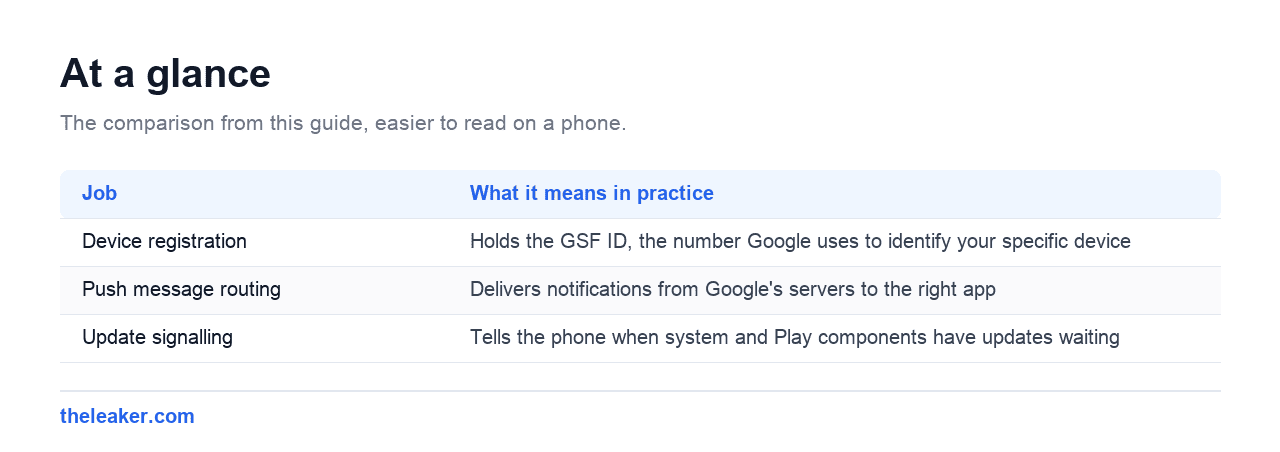
| Job | What it means in practice |
|---|---|
| Device registration | Holds the GSF ID, the number Google uses to identify your specific device |
| Push message routing | Delivers notifications from Google’s servers to the right app |
| Update signalling | Tells the phone when system and Play components have updates waiting |
The GSF ID is the part worth knowing about, because it is the one time you will ever deliberately interact with this component. It is a 16-digit number that identifies your device to Google, and it is what you submit if you ever need to register an uncertified device for the Play Store.
GSF is not the same as Play services
These two get confused constantly because the names are similar and both sit in the same part of the settings screen.
| Package | Name | Does |
|---|---|---|
com.google.android.gsf |
Google Services Framework | Device identity, push routing. Small, rarely changes. |
com.google.android.gms |
Google Play services | Location, sign-in, payments, security. Large, updates monthly. |
com.android.vending |
Google Play Store | The store app itself |
Rough analogy: GSF is the address on the envelope, Play services is everything inside it. GSF is far smaller and far less active, which is why it rarely appears near the top of a battery list. If something is genuinely eating battery, Google Play services is the more likely culprit and we cover that separately.
Is it safe?
Yes. It is genuine Google software, present on effectively every Android phone sold with the Play Store, and its presence is not a sign that anything is wrong.
One real caution, and it is the same one that applies to any well known system package name: the legitimate package is exactly com.google.android.gsf. If you find something like com.google.android.gsf.login appearing as a separate entry you can uninstall normally, or a near-miss spelling, that is worth looking at properly. Genuine system components cannot be uninstalled through the normal Apps screen.
If it is using battery or data
GSF itself does very little work. When it shows meaningful usage, it is almost always relaying for something else.
- An app pushing notifications aggressively. Chat and social apps that ping constantly route every one of those through GSF, and the cost is recorded against GSF rather than the app.
- A failing account sync. An account that cannot authenticate retries indefinitely, and each retry passes through here.
- Weak signal. Maintaining a push connection in poor coverage is expensive, and that cost lands on the component holding the connection.
What to actually do
- Open Settings, then Apps, then Notifications, and turn off notifications for apps you do not need pinging you.
- Go to Settings, then Accounts, and look for an account showing a sync error. Remove it and add it back.
- Restart the phone, then leave it a day before judging. Battery statistics reset and need real usage to mean anything.
Clearing GSF’s cache is safe if you want to try it: Settings, then Apps, show system apps, Google Services Framework, then Storage, then Clear cache.
Do not clear its storage. That wipes the GSF ID, which re-registers the device with Google. The usual result is push notifications breaking across every app for a while, and sometimes being signed out of your Google account entirely. Clearing cache is harmless; clearing storage is not.
Can you disable or remove it?
Not on an ordinary phone. It is a system component, so the uninstall option is greyed out, and disable is usually unavailable too.
With root or ADB it can be removed, and the result is a phone that no longer receives push notifications from any app, cannot reliably sign into Google services, and may not receive system update prompts. There is no performance benefit to removing it, because it does almost nothing when idle.
If your goal is a phone without Google services, the coherent route is a de-Googled build such as GrapheneOS or /e/OS, which replaces that whole layer. Deleting one piece of it from an otherwise normal phone leaves you with the disadvantages of both.
Finding your GSF ID
The one legitimate reason to go looking for this component. You need it if you are registering an uncertified device with Google, which is what fixes the “device isn’t Play Protect certified” error.
- Easiest: install any Device ID app from the Play Store and read the Google Services Framework (GSF) value.
- Via ADB:
adb shell "content query --uri content://com.google.android.gsf.gservices --where "name='android_id'""
The value you want is 16 digits. Some tools show it as a decimal number that needs converting, though most Device ID apps present it in the right form already.
Frequently asked questions
Can I uninstall com.google.android.gsf?
Not on a normal phone. It is a system component. Removing it with root breaks push notifications for every app and can prevent Google sign-in.
Why is it using my data?
It maintains the connection that delivers push notifications. The amount is small, and the underlying driver is however many apps are sending you notifications.
Is it spying on me?
It handles device registration and message routing rather than content. The reasonable objection is that it ties a persistent identifier to your device, which is a privacy question rather than a security one, and it is the same objection that applies to Google services generally.
What is the difference between GSF and Play services?
GSF is small and handles device identity and push routing. Play services is large and handles location, sign-in, payments and security. Play services is the one that usually shows up in battery lists.
Changelog
- 1 August 2026: Page created.

Hola everyone! I’m Sajid and I’m a typical freelance Graphic Designer with a keen interest in technology and science stuff. I actually like to write about the recent happenings around the world of technology as a part of The Leaker.