
You open the Play Store and instead of apps you get “This device isn’t Play Protect certified”. Downloads fail, Google apps refuse to sign in, and the phone works perfectly in every other respect. It is a jarring error because nothing is actually broken.
The quick answer: Play Protect certification is Google’s confirmation that a device passed its compatibility testing. The error means Google does not recognise this particular device as certified, which happens on custom ROMs, on phones where the bootloader was unlocked or the device was rooted, on some grey-import handsets, and occasionally after a factory reset scrambles the device identity. The fix depends on the cause. If you flashed a custom ROM, register your device ID with Google using the Google Services Framework ID and wait for it to take effect. If the phone is stock and this appeared suddenly, clearing Play Store and Play services data resolves most cases. If you bought an import, the manufacturer may simply never have certified that model.
What certification actually is
Every Android device that ships with Google apps has to pass Google’s Compatibility Test Suite. Manufacturers run it, Google records the approved build, and the Play Store checks that record on your device.
When the check fails, Google restricts its own services rather than the whole phone. That is why the handset still makes calls, runs installed apps and connects to Wi-Fi while the Play Store refuses to work.
It is worth being clear that this is not a virus, not a hack, and not a sign the phone is compromised. It is a licensing and compatibility check.
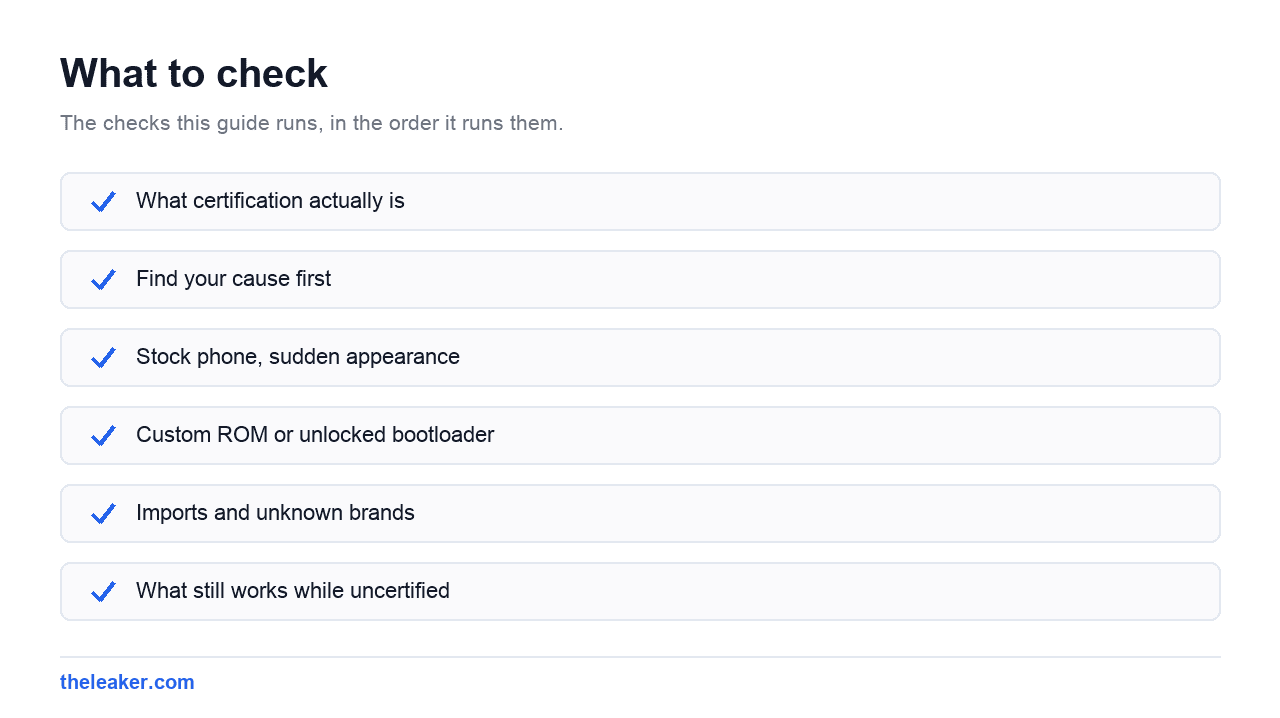
Find your cause first
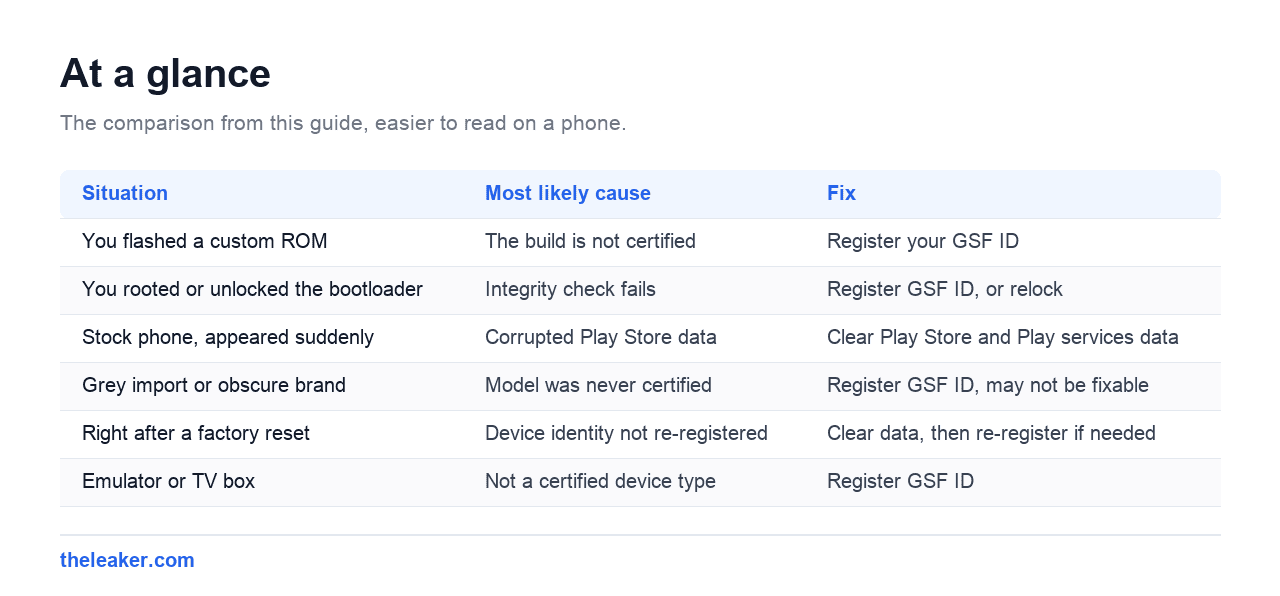
| Situation | Most likely cause | Fix |
|---|---|---|
| You flashed a custom ROM | The build is not certified | Register your GSF ID |
| You rooted or unlocked the bootloader | Integrity check fails | Register GSF ID, or relock |
| Stock phone, appeared suddenly | Corrupted Play Store data | Clear Play Store and Play services data |
| Grey import or obscure brand | Model was never certified | Register GSF ID, may not be fixable |
| Right after a factory reset | Device identity not re-registered | Clear data, then re-register if needed |
| Emulator or TV box | Not a certified device type | Register GSF ID |
Fix 1: stock phone, sudden appearance
If you have never modified the phone, start here. This resolves the majority of stock-device cases.
- Settings, then Apps, then show system apps.
- Open Google Play Store, then Storage, then Clear storage.
- Open Google Play services, then Storage, then Clear cache, then Clear storage.
- Restart the phone.
- Open the Play Store and sign in again if prompted.
Clearing Play services storage signs you out of some Google features and notifications need to re-register, so expect a few minutes of things settling afterwards. Nothing is permanently lost.
If that does not work, check that date and time are set to automatic. A wrong clock breaks the certificate checks this process depends on.
Fix 2: custom ROM or unlocked bootloader
Here the device genuinely is uncertified, so the fix is to register it with Google as an exception. Google provides this for exactly this situation.
Get your Google Services Framework ID
You need a 16-digit GSF ID. Two ways to get it:
- Install a Device ID app from the Play Store, if the Play Store still opens, and read the Google Services Framework (GSF) value.
- Or via ADB:
adb shell "content query --uri content://com.google.android.gsf.gservices --where "name='android_id'""
If the value comes back in a different format, convert the decimal number to the 16-digit form the registration page expects. Most Device ID apps show it correctly already.
Register it
- Go to Google’s device registration page for uncertified devices.
- Sign in with the Google account you use on the phone.
- Paste the GSF ID and submit.
- Wait. It commonly takes 10 to 30 minutes, occasionally several hours.
- Clear Play Store and Play services data, then restart.
Two things people get wrong: register with the same Google account you actually sign into on the phone, and be patient rather than repeatedly resubmitting. The delay is on Google’s side.
Fix 3: imports and unknown brands
Some manufacturers never submit certain models for certification, particularly regional variants and budget brands sold outside their home market. In that case there is no software fix, because the device was never approved.
Registering the GSF ID often still works, since it registers your individual device rather than the model. If it does not, the practical options are living without the Play Store, using an alternative app source, or returning the device.
This is a reason to check certification before buying an unfamiliar imported handset rather than after.
What still works while uncertified
More than people expect, which is worth knowing if you are mid-fix.
- Calls, texts and mobile data are unaffected.
- Apps already installed keep running.
- Sideloaded apps install and work normally.
- Wi-Fi, Bluetooth and the camera are unaffected.
What breaks is the Play Store, Google account sign-in on Google apps, and anything depending on Play Integrity, which includes many banking apps and Google Wallet.
Frequently asked questions
Is my phone hacked or infected?
No. This is a compatibility and licensing check, not a security warning. It tells you Google does not recognise the build, not that anything malicious is present.
Will a factory reset fix it?
On a stock phone, sometimes, though clearing Play Store and Play services data achieves the same thing without wiping. On a custom ROM a reset changes nothing, because the ROM is still uncertified afterwards.
How long does GSF registration take?
Usually 10 to 30 minutes, sometimes longer. Clear Play Store and Play services data after registering, then restart, or the phone may keep using the cached failed result.
Can I still use banking apps?
Often not. Many banking apps check Play Integrity, which fails on an uncertified or rooted device even after GSF registration. That is a separate check from Play Store access and is deliberately harder to work around.
Does relocking the bootloader fix it?
If you return to the official firmware and relock, the device usually certifies normally again. Relocking with a custom ROM installed can leave the phone unbootable, so restore stock firmware first.
Changelog
- 2 August 2026: Page created.

Shivam has been working as a Tech journalist since 2014. He has worked at many Tech news blogs and Amazon India after that he joined TheLeaker in 2017 as a staff writer and now he’s an editor on the portal. When he is not working, you can find him playing games and listening to pop music. You can find him on Facebook and Twitter and can also contact him via email at [email protected]