
If CarPlay has stopped working, start with the cable and the USB port, then check two iPhone settings that can block it silently, Screen Time and Siri. A worn or charge-only cable is the most common cause, so rule that out first. If a known-good cable in the car’s data port still does nothing, the usual hidden culprits are a Screen Time restriction blocking CarPlay or Siri being switched off. Work through the order below and most connections come back in a couple of minutes.
The short version. CarPlay needs an iPhone on a reasonably current iOS (updating is one of the fixes below), a car that supports CarPlay, and either a good USB cable or, for wireless, Bluetooth and Wi-Fi both on. When it will not connect, the fastest order is: swap to a short, good cable, confirm you are in the car’s data USB port, restart the iPhone and the car, make sure Siri is on, and check that CarPlay is not blocked under Screen Time. After that come a stale pairing, a car firmware update, and the wireless radios. If CarPlay used to work and vanished after an iOS update, that is a widely reported pattern, and the fix is to forget the car, update the head unit, and re-pair. On some cars, especially newer GM electric vehicles, CarPlay is not available at all.
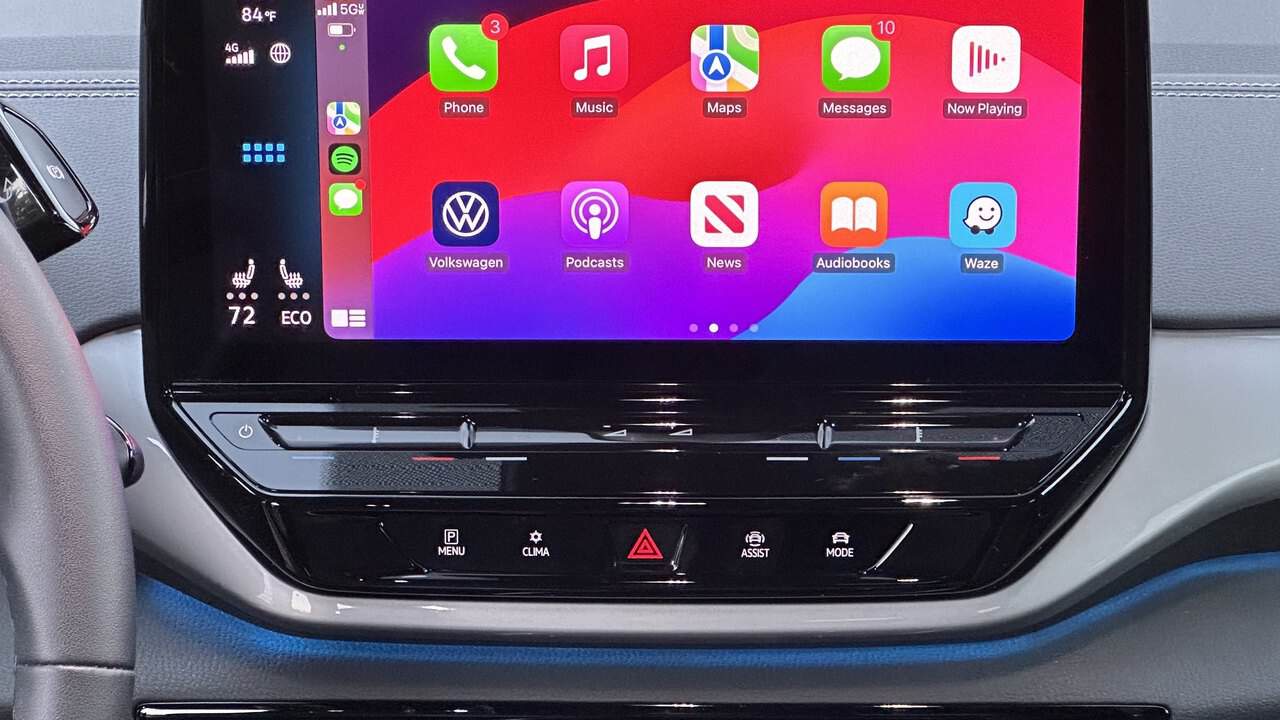
First, which problem do you actually have?
The fix depends on the symptom, so match yours and jump to it.
- Nothing happens when I plug in, though the iPhone charges. Work fixes 1 to 5 in order: cable, then the data port, then Siri and Screen Time, which can block CarPlay with no error on screen.
- It connects, then drops out while driving. Wired, that is a failing cable or port (fix 1); wireless, see fix 8 and the iOS-update section below.
- It will not go wireless even though a cable works. Your car may be wired-only; see “Some cars don’t support what you’re trying to do” below.
Work through these fixes in order
They run cheapest and likeliest first, and they follow Apple’s own CarPlay troubleshooting steps. Most people are sorted in the first few.
1. Swap the cable. The first thing Apple tells you to change is the cable, and for good reason, because cheap and aging cables go charge-only or lose their data lines while still delivering power. The iPhone charges, the cable looks fine, and no data reaches the car. Apple’s advice is to “try connecting again with a different USB cable to a different USB port.” Use a short, good-quality cable; a connection that drops over bumps points to a worn cable or a failing port, which a different port or cable will confirm.
2. Check you are in the car’s data port. Many cars have several USB ports and only one carries data, usually the one marked with a phone or CarPlay icon. Unmarked ports in the armrest are often charge-only, which is why the phone powers up but CarPlay never starts.
3. Restart the iPhone and the car. Restart the phone, and switch the car fully off and on with a complete ignition cycle, since some head units need thirty seconds or more before they power the screen back up. It sounds too simple to matter, and it clears the temporary state behind a lot of one-off failures.
4. Make sure Siri is on. CarPlay depends on Siri, so if Siri is switched off, CarPlay will not run, which is a genuinely easy one to overlook. Turn it back on under Settings, then Apple Intelligence & Siri (or Settings, Siri on older iOS).
5. Check that Screen Time is not blocking CarPlay. It is on Apple’s page but buried near the bottom, and most car-forum threads never reach it, so it silently stops CarPlay from being detected. It has its own section below.
6. Forget the car and re-pair. If CarPlay worked for months and then stopped, a half-broken pairing is the likely cause. Apple’s path is Settings, General, CarPlay, then tap your car and “Forget This Car,” and set it up again from scratch. Re-pairing is what resolves the endless “connecting” loop in most reports.
7. Update the car’s firmware. The CarPlay stereo needs the latest firmware from the car manufacturer. Head units ship with bugs and makers do patch them, so an update can fix a connection problem the phone side cannot. For an aftermarket receiver the update is on the maker’s website; for a built-in system, check the car’s own update menu or your dealer.
8. For wireless, split by whether it ever connected. If wireless has never worked, make sure Bluetooth and Wi-Fi are both on and start the pairing from the car’s own Bluetooth menu, since wireless CarPlay pairs over Bluetooth before it switches to Wi-Fi. If it pairs but keeps dropping, open Settings, Wi-Fi, tap the CarPlay network and confirm Auto-Join is on, then turn off any VPN, which can block the local connection wireless CarPlay needs.
If none of that lands, run the test that ends the guessing. Try your iPhone in another CarPlay car, or a friend’s iPhone in yours. Whichever combination works tells you which side is broken. If your iPhone fails in both cars, the phone or its settings are the problem. Recheck Siri and Screen Time, update iOS, and if it still fails, reset the network stack under Settings, General, Transfer or Reset iPhone, Reset Network Settings, which wipes saved Wi-Fi passwords, then contact Apple Support if nothing helps. If the fault stays with one car, it is the head unit, so update its firmware or ask the dealer.
iPhone plugged in but CarPlay won’t appear? Check Screen Time
This is the case that sends people in circles, because every symptom points at the cable and the cable is fine. CarPlay can be switched off inside Screen Time’s restrictions, and when it is, the car simply never detects the iPhone, with no error to explain why.
Apple’s support page documents the fix: “If your iPhone isn’t detected by CarPlay, make sure that CarPlay isn’t restricted.” Go to Settings, Screen Time, Content & Privacy Restrictions. If Content & Privacy Restrictions is on, tap Allowed Apps and make sure CarPlay is enabled. If you never set up Screen Time yourself, someone else may have, or a restriction profile from work or a family account may have set it, which is why this one is so easy to miss.
The related setting is Siri, from fix 4 above, and it is worth checking both, because neither shows an error on screen when it is the block. Of all the causes here, the Screen Time one is the most maddening, since nothing tells you it is the reason. If both are already fine, the cause is elsewhere, so run the two-car test in the fixes list to find which side is at fault.
CarPlay broke after an iOS update
If CarPlay worked until an iOS update and then started dropping or refusing to connect, you are not alone; it is a regularly reported pattern after major iOS releases, with owners describing CarPlay disconnecting and reconnecting or going unresponsive on Apple’s own community forums and elsewhere. These reports are user accounts rather than an Apple-confirmed bug, so treat the cause as unsettled.
What actually helps is the same sequence regardless of the update: forget the car under Settings, General, CarPlay, update the head unit’s firmware if the maker has released one, then re-pair. Keep the iPhone on the latest iOS as well, since Apple ships point updates that address connection problems. If wireless keeps dropping specifically, a wired cable is the steadier connection while things settle.
Some cars don’t support what you’re trying to do
Before you spend another hour on it, check whether your car supports the connection you are attempting, because on many vehicles the head unit’s software decides what works. Three patterns catch people out, and this is the same list that governs Android Auto, covered in our Android Auto troubleshooting guide.
- Older Toyota (Entune 3.0, roughly 2018 to 2021). CarPlay is wired only on these systems, so wireless will never connect however many settings you try. The aahacks guide notes that “older versions of Entune 3.0 typically only support a wired connection,” with wireless arriving on the newer Toyota Audio Multimedia system in 2022-and-later cars.
- Hyundai and Kia with built-in navigation. For years these ran opposite to expectations: the cheaper trims without built-in nav got wireless, while the pricier nav-equipped models were wired only. As SamMobile put it, “navigation systems with inbuilt maps receive only wired Android Auto and Apple CarPlay connectivity.” Newer ccNC systems are adding wireless, so an update may bring it, though on many existing cars it is simply not available.
- Newer GM electric vehicles. CarPlay may not be there at all. GM has removed phone-based CarPlay and Android Auto from its EVs, so the Chevy Equinox, Blazer and Silverado EVs, the GMC Sierra and Hummer EVs, and Cadillac’s Optiq, Vistiq and Escalade IQ ship without them. On those cars “not working” means “not equipped,” and the answer is the car’s built-in maps or a third-party adapter.
The quick test is simple. If a cable connects but wireless has never once worked, your car most likely does not support wireless CarPlay and nothing is broken, so check your exact model and trim before chasing it.
FAQ
Why does CarPlay keep disconnecting while I drive?
Over a cable, the cable or the port is the usual culprit, so a drop that follows bumps in the road points there first. Wireless, check for Wi-Fi interference, turn off any VPN, and confirm Auto-Join is on for the CarPlay network. If it started right after an iOS update, see the section above.
Does CarPlay work on Android phones?
No. CarPlay is iPhone-only, and the Android equivalent is Android Auto. Most cars that support one support both, so a household with mixed phones is usually fine, since each phone uses its own system.
Why is there no CarPlay option in my car at all?
Either the car does not support CarPlay, or it is one of the newer GM EVs that ship without it. Contact the vehicle manufacturer to confirm what your exact model and trim include before assuming a fault.
CarPlay is not restricted and Siri is on, but it still won’t connect. Now what?
Run the two-car test above to isolate the side at fault, make sure the iPhone is on a current iOS, and update the head unit firmware. If the iPhone works in another car, the fault is on the car side; if it fails in every car, reset network settings and then contact Apple Support.
Related: Android Auto Not Working? The Fixes That Actually Solve It

I am the chief editor of TheLeaker. I also maintain the backend stuff of the site. I’m a tech enthusiast and loves to do Python coding in my free time. I have worked at many giant publications like XDA Developers and NXTtech before starting TheLeaker.
You can get in touch with me at Garv[at]theleaker.com.