
The short answer: the best speedometer app depends on the job, and for everyday driving you probably already have one. Google Maps has a built-in speedometer you switch on once under Settings, and Waze has one you can enable in its settings, both showing the posted limit next to your speed. Install a dedicated app only when you want a bigger standalone gauge, a windshield HUD reflection for night driving, or trip and lap logging. On Android I’d start with SpeedView or a well-maintained GPS HUD app; on iPhone with Speedometer Simple or a well-reviewed MPH tracker. One thing to know before you trust any of them. A phone reads your true ground speed from GPS, which is usually accurate on open road and often more honest than your car’s dial, but it drifts between tall buildings and drops out in tunnels, and it is not a calibrated legal instrument.
So the real question isn’t which app has the nicest dial. It’s whether GPS speed is good enough for what you need it for, and where it quietly isn’t. Here’s how accurate a phone actually is, then the apps grouped by the job you’re doing, with Android and iPhone picks under each.
How accurate is a phone speedometer, really?
Accurate enough for driving, on open road, in clear sky. GPS works out your speed from how fast your position is changing against the satellites overhead, and the US government publishes the underlying figure: the signal in space carries a speed-rate error under roughly 0.006 meters per second over any three seconds, per GPS.gov’s accuracy page. That figure is the signal-in-space performance only, before your phone’s antenna, the satellite geometry, the atmosphere and any signal blockage degrade it, so a handset’s real-world speed accuracy is looser than that and depends on conditions. In clear conditions it still tracks your true speed closely, which is usually all a driver needs.
Here’s the part people find surprising. Your car’s speedometer is set so it won’t read low, so a GPS app usually shows a lower, truer number. Regulation and the industry’s speedometer standards push the dial to err high rather than ever understate your speed, and calibration plus tire-size and wear tolerances widen that gap, so a dash reading of 60 can mean you’re really doing a little less. The phone reads your ground speed instead of that built-in margin.
Where to stop trusting it:
- Tunnels and parking structures. GPS signals barely penetrate rock and concrete, so once the phone loses line of sight to the sky the reading freezes or blanks. It’ll usually recover within seconds of daylight.
- Dense downtown. Tall buildings bounce the signal before it reaches you, an effect called multipath. Research covered by ScienceDaily in 2025 put position error in these urban canyons as high as 30 meters on ordinary single-band receivers, and a jumpy position makes for a jumpy speed.
- Cold starts. Let it lock on first.
And the line that matters most. This is not a defense against a ticket. A GPS reading is not a calibrated measurement, and a screenshot is unlikely to beat a citation by itself. Use it to drive more honestly, not to argue.
You might already have a speedometer
Before you install anything, check what’s on your phone. Google Maps has a speedometer that sits in the bottom corner during navigation and turns red when you pass the limit. Open your profile picture, go to Settings, then Navigation settings, and toggle the speedometer on, as groovyPost walks through. This one arrived on iPhone and CarPlay in 2024, so it’s no longer Android-only, though TechCrunch noted at the time that Google labels it for informational use only.
Waze does the same, with a speedometer you can switch on in its settings and a configurable warning when you creep over. Apple Maps is the odd one out. It shows the posted speed limit while navigating (Settings, then Maps, then Driving), but no live speedometer of your own, so you still need Google Maps or a dedicated app for that.
If there’s one thing to turn on before downloading a single gauge app, it’s the Google Maps speedometer. The standalone dials look nicer, but the built-in one has the advantage that matters while driving: it also shows the limit for the road you’re on, which most of the good-looking gauge apps can’t do.
The apps, grouped by what you’re doing
Job 1: a big, clear readout
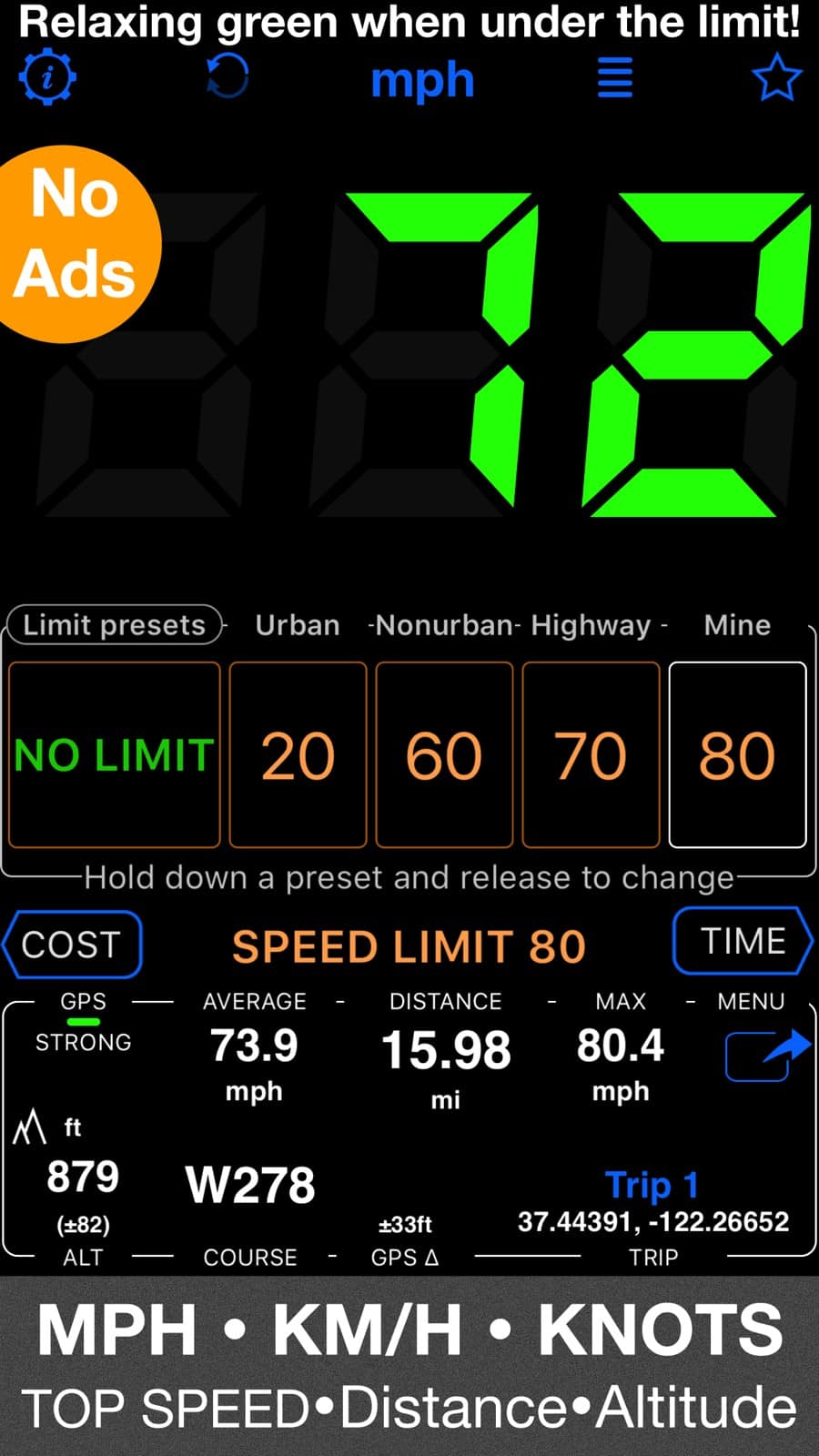
The case for a dedicated app here is simple. The number is huge, glanceable, and not buried in a map. On Android, SpeedView from Code Sector is a clean, long-running free gauge with a big readout that’s fine for daily driving. On iPhone, Speedometer Simple does the one job without clutter, and there are solid MPH-tracker apps that add a trip computer. Skip anything that hasn’t been updated in years; a gauge app that stopped shipping updates in 2022, however good it looks in screenshots, is a maintenance risk on current iOS.
Job 2: a HUD for night driving
Head-up display mode flips the numbers into a mirror image so you can lay the phone on the dash and read the reflection in your windshield, like a factory HUD. It’s a night trick, and it needs a dark cabin and a bright screen to work.
On Android, this is where the dedicated apps genuinely earn their place. GPS Speedometer & HUD Speed is a free, actively updated option built around exactly this mirrored display, and several other Android gauges strip to bright numerals on black for the same effect, often with heavy customization and a paid tier that drops the ads. On iPhone, several gauge apps advertise a HUD mode too, though results depend a lot on your windshield rake and dash color. Try it parked before you rely on it moving, and never mount the phone where it blocks your view of the road.
Job 3: cycling, running and walking with a map
A driving gauge is the wrong tool here, because you want your route recorded alongside the speed. Strava is the default on both platforms and shows live pace and speed while it maps the ride or run. Komoot and Ride with GPS lean toward navigation and route planning, and Wahoo pairs with cycling sensors. All of them log the whole trip, which a plain speedometer doesn’t.
Job 4: logging and track days
This is the serious end, and it’s a different category of app. RaceChrono, Harry’s LapTimer and TrackAddict turn a phone into a lap timer and data logger, record video, and burn a live data overlay onto the footage. RaceChrono alone reports over 100,000 active users across iOS and Android on its own site, and the pro unlocks are one-time purchases priced per app: RaceChrono Pro is $19.99 on iOS, Harry’s LapTimer Grand Prix is $27.99, and TrackAddict Pro is $8.99.
Know the ceiling before you pay. A phone’s built-in GPS samples at about 1 Hz, which at 60 mph is one position reading every 88 feet or so. That’s plenty to tell you which lap was fastest, and far too coarse to compare two laps through a single corner, which is why some of these pro apps support compatible external GNSS receivers running at higher, device-specific update rates. They also read an OBD-II feed, meaning the port under your dash that exposes engine data, so you can overlay real throttle, RPM and the car’s own speed. If that plug is new to you, our guide to the best OBD2 apps covers the adapters and software that read it. For casual “how quick was that run” curiosity, the phone’s own GPS is fine.
Android or iPhone: what actually changes
Less than you’d expect, with two real differences. Android has always had the deepest HUD and customization apps, and it also feeds a speedometer to Android Auto through Google Maps. iPhone caught up on the built-in front when Google Maps brought its speedometer to iOS and CarPlay, so the everyday gap has closed. The dedicated-app catalog is simply larger and more actively maintained on Android, so if a windshield HUD is the whole reason you’re here, Android has more to choose from.
What a speed app won’t do
- Beat a ticket. Covered above, and worth repeating because the app stores are full of listings that hint otherwise. A phone’s GPS reading isn’t a calibrated measurement and is unlikely to beat a citation on its own.
- Work with the screen off. These read GPS continuously, so they need to stay open and awake, which means a mount and ideally a charger on a long drive.
- Fix a wrong-reading car. If your dash and a GPS app disagree by a steady few percent, that’s the built-in over-read doing its job, not a fault. A disagreement that changes with tire wear or a wheel size swap is worth a mechanic, not an app.
- Replace a calibrated instrument. For anything official, the phone is a convenience, not a measurement.
Frequently asked questions
Is a GPS speedometer more accurate than my car’s?
For true ground speed, usually yes. Cars are set so the dial never shows less than you’re actually doing, a mix of regulation, industry speedometer standards and tire tolerances, while GPS measures your speed over the ground closely in clear conditions. The exception is anywhere the signal is blocked or bouncing, where the car’s mechanical reading is steadier.
Why does my speed app drop out in tunnels?
Because GPS needs a line of sight to satellites overhead and concrete blocks it. The app either freezes on your last speed or blanks until you emerge. Some apps smooth over short gaps, but none can truly measure speed underground without extra hardware.
Do I need to pay for a speedometer app?
Not for everyday use. The Google Maps and Waze speedometers are free, and the best standalone gauges have capable free versions. Paying makes sense for two reasons. It removes ads and unlocks HUD or logging extras, and on track-day apps the one-time pro unlock adds external-GPS and OBD support you can’t get free.
Will a speedometer app drain my battery?
More than most apps, yes, because continuous GPS and a screen that never sleeps are both heavy. On any drive longer than a short errand, plan to keep the phone on a charger, which also keeps the screen bright enough for HUD mode to be readable.
The bottom line
Turn on the speedometer already in Google Maps or Waze first, since it’s free and shows the posted limit too. Add a dedicated app when you want a big standalone dial, a night HUD, activity tracking with a map, or lap logging, and match it to your platform, with Android holding the edge on HUD and customization. Whatever you run, read it as your true ground speed rather than the last word, especially in tunnels and downtown, and never as a defense you can wave at a police officer. For more phone how-tos, our Android guides hub collects the rest.

I am the chief editor of TheLeaker. I also maintain the backend stuff of the site. I’m a tech enthusiast and loves to do Python coding in my free time. I have worked at many giant publications like XDA Developers and NXTtech before starting TheLeaker.
You can get in touch with me at Garv[at]theleaker.com.