
The best OBD2 app depends on what you want, but the app is only half the job: it does nothing without a Bluetooth adapter plugged into your car, and on an iPhone that adapter has to be a Bluetooth Low Energy model, or it very likely will not connect. Once the hardware is right, Car Scanner ELM OBD2 is the best free all-rounder, Torque Pro is the pick for live data on Android, and a dongle-plus-app kit like BlueDriver or FIXD is the easiest way to just read a check-engine light.
The short version. Every OBD2 app needs an adapter in the car’s OBD2 port, usually an ELM327 Bluetooth or Wi-Fi one. On Android, cheap generic adapters mostly work. On iPhone, you need a Bluetooth Low Energy (BLE) adapter, so a standard Bluetooth or Wi-Fi ELM327 often will not connect. For most people, Car Scanner ELM OBD2 (free, iPhone and Android) does everything: read and clear codes, live data, and emissions readiness. Torque Pro is the enthusiast pick on Android. BlueDriver and FIXD sell their own adapter with a beginner-friendly app and plain-English fault reports. Carista adds light manufacturer coding, which is worth approaching carefully. And an app that reads a code cannot tell you whether the car is safe to drive.
The adapter is the part that trips everyone
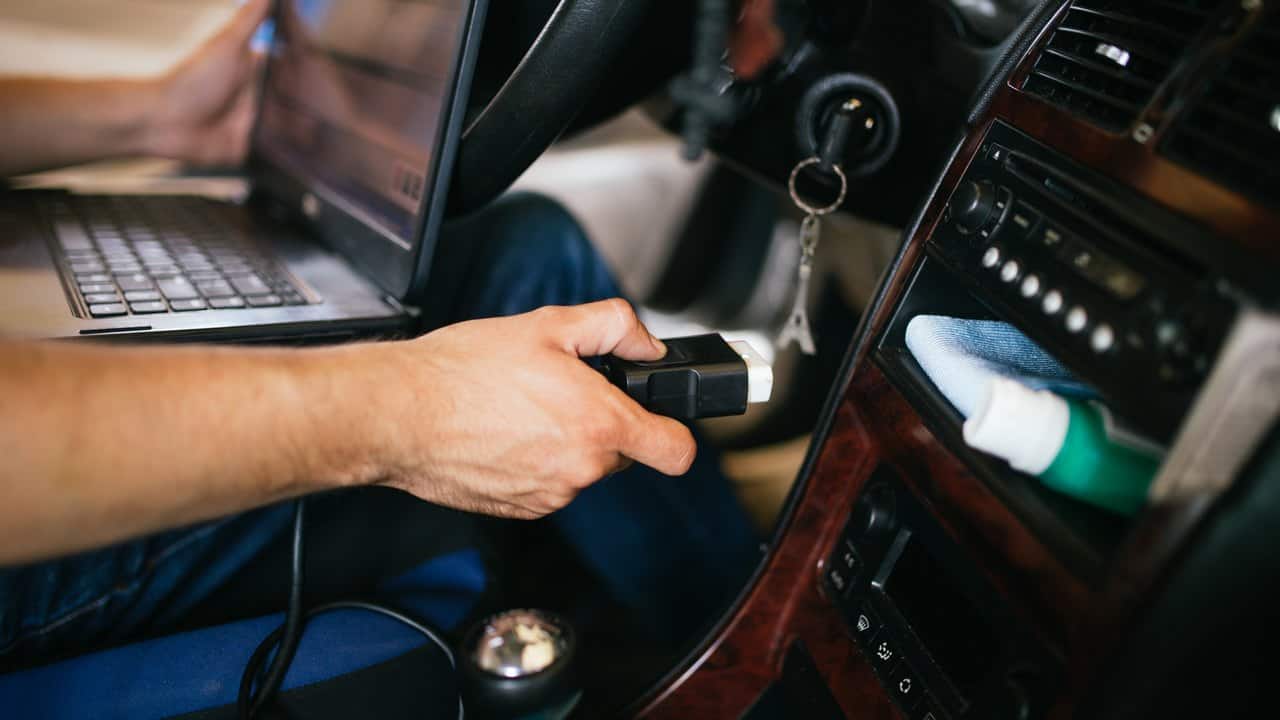
An OBD2 app is a display. The thing that actually talks to your car is a small adapter that plugs into the OBD2 port, usually under the dashboard near the steering column. Get the adapter wrong and no app will work, and a lot of one-star reviews read like adapter problems.
- Android is forgiving. Most generic ELM327 Bluetooth adapters pair fine, so a cheap one is a reasonable place to start.
- iPhone is not. Apple needs a Bluetooth Low Energy (BLE) adapter, and a standard Bluetooth or Wi-Fi ELM327 dongle frequently will not connect. Buy an adapter that lists iPhone or BLE support explicitly.
- Cheap clones vary. The ELM327 design is widely copied, and quality ranges from fine to flaky. If reliability matters, a known adapter like an OBDLink costs more and behaves.
- Some apps lock you to their own adapter. BlueDriver and FIXD only work with the dongle they sell, which is the tradeoff for their easier software.
So decide the adapter and the app together, as a pair. The rest of this guide assumes the adapter is sorted.
Just read the check-engine light
If you want to know why the light is on and whether you can clear it, these are the ones to start with. For whether it is actually serious, read the last section first, because an app reports the code but does not judge how urgent it is.
One thing to check before you reach for any app: is the light steady or flashing? A steady light means a fault was logged and you have time to diagnose it. A flashing light usually means an active misfire that can overheat and destroy the catalytic converter within a few miles, so ease off the accelerator and get the car looked at rather than sitting there scanning codes.
- Car Scanner ELM OBD2 is the best free app for most people, on iPhone and Android. The free version reads and clears trouble codes, shows live sensor data and freeze-frame, checks emissions (I/M) readiness, and even supports many EVs and hybrids. A small banner ad sits at the bottom, and a one-time Pro upgrade of a few dollars removes it. It works with generic ELM327 adapters, so you are not locked in.
- BlueDriver is the choice if you would rather not think about any of this. The app is free, you buy their sensor once, and it gives you plain-language repair reports that suggest likely fixes and their typical cost. It is still a ranked list of probable causes rather than a diagnosis, but that report is what you are paying the adapter price for.
- FIXD works the same way, a dongle plus a beginner-friendly app that translates codes into plain English and tracks maintenance. Some of its more useful features sit behind a subscription, so read what is free before you buy.
Live data, gauges and logging
If you want to watch coolant temperature, boost, fuel trims and the rest in real time, or log a drive, you want an app built for continuous data and logging.
- Torque Pro is the long-standing enthusiast favorite, and it is Android only. It has deep, customizable gauges, data logging and a large plugin ecosystem, for a one-time price of a few dollars. Torque Lite is the free version to try first.
- OBD Fusion is the stronger pick on iPhone, and it also runs on Android. Its draw is enhanced data: with the right add-on it reads manufacturer-specific parameters beyond the generic OBD2 set, which basic apps cannot see.
- Car Scanner ELM OBD2 belongs here too. Its dashboards are good enough that plenty of people never need a second app. If I had to install one first, it would be this.
Manufacturer coding, and why to go carefully
Carista is the accessible option for light coding on brands like BMW, Volkswagen, Audi and Toyota, changing settings such as how the locks or lights behave. It runs on iPhone and Android with its own adapter (a generic ELM327 will not do the coding), on a free tier plus a subscription for the coding features.
Coding is a different thing from reading a code, because it changes how the car behaves, where reading a code only reports one. Stick to documented, reversible changes, note the original setting before you touch it, and leave anything you do not understand alone. Deeper coding tools exist for specific brands, and we do not name them here because they change safety-related systems and are easy to get wrong; if you go that route, use the brand community’s documented procedures, not a general guide.
What an OBD2 app will not do
- Tell you the car is safe to drive. An app reports the fault code; it does not judge severity. A misfire code and a loose gas cap read the same way on screen and mean very different things, so a code is a starting point for diagnosis, not a verdict.
- Fix anything by clearing the code. Clearing turns the light off, but if the fault is still there the light comes back, and clearing wipes the stored freeze-frame data a mechanic would use to diagnose it, so note the code first. Clearing also resets emissions readiness, so do not clear codes right before an emissions test or you can fail on “not ready”.
- See past the engine. Generic OBD2 covers the engine and emissions. ABS, airbag (SRS) and many body systems often need enhanced or brand-specific tools, so a clean generic scan does not mean every warning light is explained.
- Replace stopping. If a warning is about brakes, temperature, oil pressure or anything that feels wrong to drive, stop and get help. Do not sit in traffic scrolling through codes.
FAQ
What is the best free OBD2 app?
Car Scanner ELM OBD2 for most people. The free version reads and clears codes, shows live data and checks emissions readiness, on both iPhone and Android, and works with generic adapters. Torque Lite is the free Android alternative if you mainly want gauges.
Why won’t the app connect to my car?
Almost always the adapter. On iPhone, the usual cause is a non-BLE adapter, which will not pair; on any phone, a cheap clone can be faulty, the ignition may need to be on, and Bluetooth adapters pair in the phone’s Bluetooth settings first. Try a different adapter before blaming the app.
Can an OBD2 app clear a check-engine light for good?
Only if the underlying fault is fixed. Clearing the code turns the light off, but a real fault will trigger it again, and clearing resets your emissions readiness monitors, so avoid it just before a smog test.
Will an OBD2 app show data on my Android Auto or CarPlay screen?
Mostly no. These apps are designed for the phone screen and do not project to the car display, so plan to mount the phone. If you are troubleshooting the projection itself, see our Android Auto troubleshooting guide.

I am the chief editor of TheLeaker. I also maintain the backend stuff of the site. I’m a tech enthusiast and loves to do Python coding in my free time. I have worked at many giant publications like XDA Developers and NXTtech before starting TheLeaker.
You can get in touch with me at Garv[at]theleaker.com.