
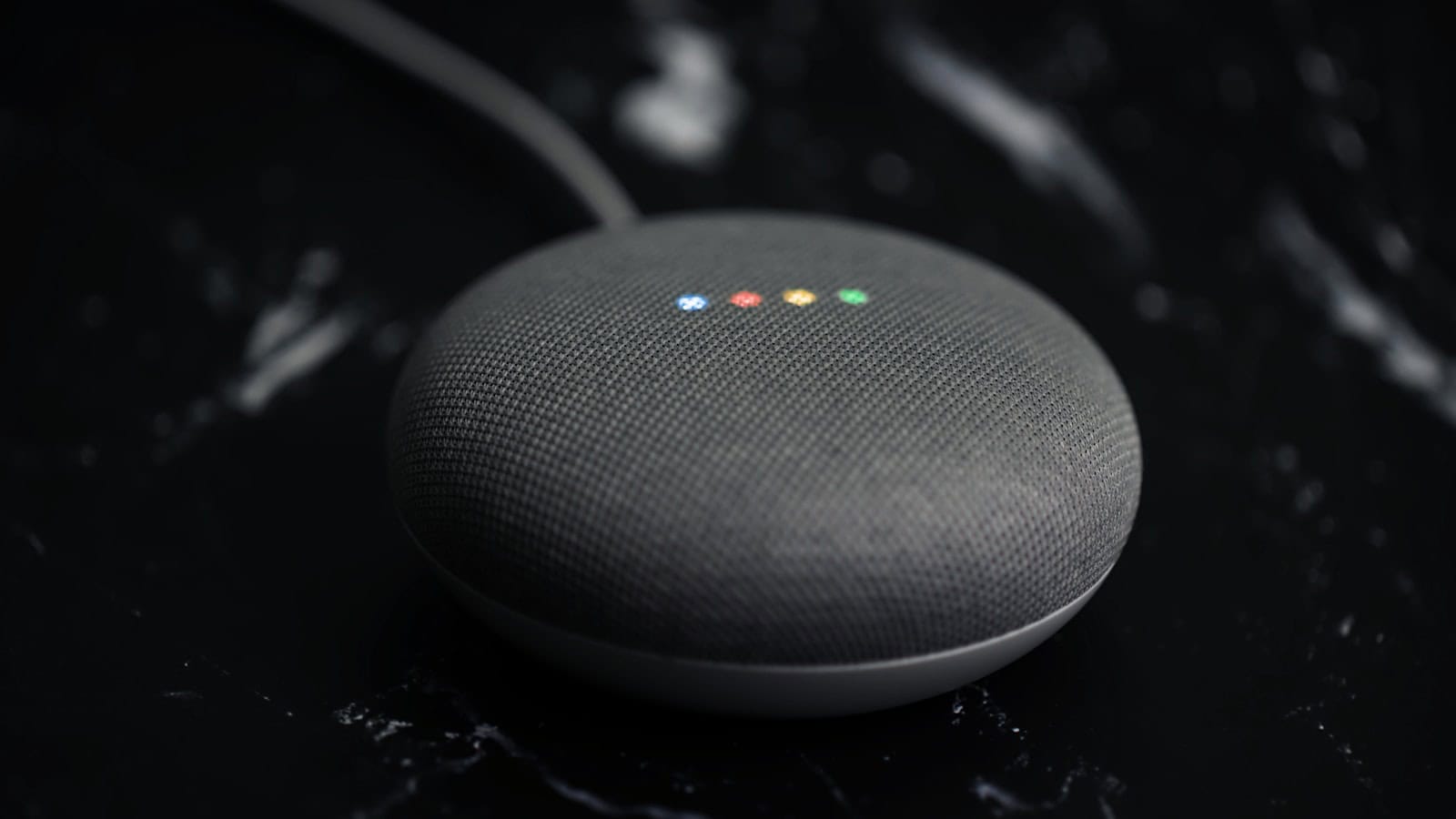
One morning your Gemini for Home speaker answered in a different voice, with a different rhythm, and a light bar that pulsed blue and purple instead of the four familiar dots. Nobody asked you. Gemini for Home had arrived, and it had replaced Assistant, the thing you’d spent six years training your household to talk to, on that device for good.
Some of what you lost is real. Some of it is a habit you can rebuild in an afternoon. This is the honest split: what still works, what genuinely regressed, whether you can go back (mostly no), and what your actual options are now.
The quick answer: Gemini for Home replaces Google Assistant on Google and Nest speakers, displays, cameras and doorbells, and Google’s own support page states plainly that once a home switches, it can’t switch back. Basic smart home control, timers, alarms, lists, reminders, media and general questions all still work, and free. What regressed for many people is speed, consistency, and reliability of voice-triggered automations: several of which broke outright at the switchover. Continued Conversation, the free hands-free follow-up feature, effectively became Gemini Live behind a Google Home Premium subscription. There’s no supported downgrade. The only workaround people report is building a brand-new home in the Google Home app and factory-resetting devices into it, which is laborious and won’t outlive the rollout. Your realistic choices: adapt your phrasing and rebuild automations, pay for Premium, or move your smart home to a platform-neutral setup.
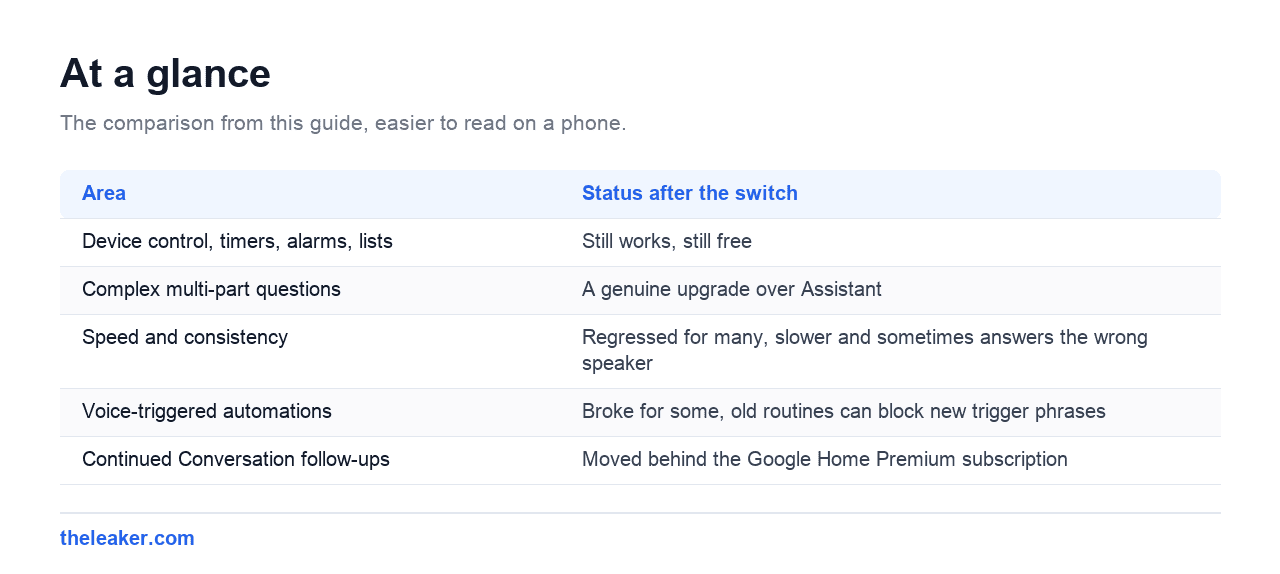
| Area | Status after the switch |
|---|---|
| Device control, timers, alarms, lists | Still works, still free |
| Complex multi-part questions | A genuine upgrade over Assistant |
| Speed and consistency | Regressed for many, slower and sometimes answers the wrong speaker |
| Voice-triggered automations | Broke for some, old routines can block new trigger phrases |
| Continued Conversation follow-ups | Moved behind the Google Home Premium subscription |
What actually changed, and when
Gemini for Home began early access in the US on October 28, 2025, and Google’s framing was never “a new option.” It was a replacement across effectively the entire Nest and Google Home hardware catalog of the last decade: speakers, displays, cameras and doorbells. Google’s support documentation lists full compatibility for the Google Home Speaker (2026), Nest Hub (1st and 2nd gen), Nest Audio, Nest Mini (2nd gen), Nest Hub Max and the original Home Mini, with older and third-party devices getting most features but not Gemini Live.
Two things follow from that list. First, hardware that shipped in 2017 is now running a large-language-model assistant that answers from the cloud. Second, the change is per-home, not per-device: Google’s wording is that compatible devices in your home, and devices you add later, always use Gemini for Home.
The rollout has kept moving. In its coverage of the July 2026 update, 9to5Google reported that conversational context memory now stretches to 15 minutes across Gemini for Home, so you can say “turn on the kitchen lights” and later say “dim it to 50%” without restating the room, and that Gemini Live expanded to the first-generation Home Mini and Nest Hub. That’s a real improvement over the launch behavior. It doesn’t undo the switchover.
What still works (probably more than you fear)
The panic reaction is that everything’s broken. It isn’t. On the free tier, according to Google’s own feature documentation, the Gemini voice assistant still handles smart home control, media, information lookups and household organization. The bones of what most people use a speaker for.
- Device control. “Turn off the porch light,” “set the thermostat to 68,” “lock the front door.” Same commands, same devices.
- Timers and alarms. Still there. Multiple named timers still work.
- Lists, notes and reminders. Still free. One thing that got better: Android Authority noted that Gemini catches duplicates on shopping lists where Assistant would happily add “milk” three times.
- Media. Casting and playback commands still work, though a subset of users report intermittent casting flakiness.
- Complex questions. This is the genuine upgrade. Multi-part queries: weather across specific days, whether a game conflicts with a calendar event, a substitute for an ingredient you don’t have: are things Assistant simply couldn’t do. Gemini handles them well.
If your household use is 90% lights, timers and music, you’ll mostly notice the personality change and the pauses.
What broke, honestly
Speed and consistency
This is the near-universal complaint, and it’s not imagination. In the same hands-on write-up, Android Authority described asking anything as an exercise in patience, with the speaker taking noticeably longer to listen, transcribe and respond than Assistant did: plus a habit of answering on the wrong speaker, or on all of them at once. Response length also varies unpredictably: the same class of question can produce a one-line answer or a paragraph of commentary.
The wrong-speaker problem is the one that damages trust fastest, because it makes the system feel like it isn’t listening to you, it’s listening to the house.
Voice-triggered automations
The most concrete breakage. 9to5Google reported that the Gemini for Home upgrade broke some automations set to trigger by voice: inconsistently, so plenty of people saw nothing wrong. Two causes it identified are worth knowing because both are fixable:
- Old default routines squatting on your keyphrases. Legacy default routines survive the update, can’t be deleted, and block a new automation from claiming the same trigger phrase.
- Phrase literalism. An automation set to “goodnight” wouldn’t fire for “good night”: Gemini just answered conversationally instead. One space, dead automation.
Reported workarounds: duplicate the old automation inside the new Home app UI, or rebuild it with a unique keyphrase that no legacy routine has a claim on.
Continued Conversation moved behind a paywall
Assistant let you ask a follow-up without saying “Hey Google” again, free. Android Authority reported that this effectively became Gemini Live, which sits inside Google Home Premium. Per Google’s announcement, Premium Standard is $10/month or $100/year and includes Gemini Live and 30 days of video history; Advanced is $20/month or $200/year and adds AI camera event descriptions, Home Brief and searchable video history. Home Premium is bundled with Google AI Pro and Ultra subscriptions.
Whatever you think of the pricing, the pattern is clear: a free feature became a paid one.
Devices behaving badly
At the harsher end, Android Police reported Nest Mini owners describing reboot loops, speakers that powered down and refused to return, devices needing constant re-pairing before dropping off again after a few hours, and repeated “I didn’t understand that” responses. That’s a subset of users, not everyone. But if you’re in it, no amount of prompt-rephrasing helps. That’s a hardware-and-firmware problem, and it’s the scenario where a support ticket is the right move rather than a workaround.
Can you go back? Not really
Let’s be direct, because a lot of pages are vague about this to keep you reading. There is no toggle. Google’s support page says a home that has switched to Gemini for Home cannot switch back to Google Assistant.
The workaround that circulates, and Android Authority has written up: is to build a fresh home rather than revert an existing one: leave Public Preview under your profile in the Google Home app, create a new home with the “+” button, then factory reset each device and add it to the new home, deleting the old home when you’re done.
Understand what that costs you before you start. You are re-adding every device by hand. Rooms, automations, shared household access and linked third-party services do not follow automatically: assume you rebuild all of it. And the coverage is explicit that this only works while Gemini remains a preview-stage rollout; when Assistant is retired outright, the escape hatch closes. It’s a stay of execution, not a revert.
For most households with more than a handful of devices, the honest math is that the reset is more painful than adapting.
So what should you actually do?
Pick one of three roads, deliberately.
1. Adapt (right for most people)
- Audit your automations first. Open the Google Home app and test every voice-triggered automation out loud. Don’t assume. The failures are silent: Gemini just chats back instead of firing the routine.
- Rename triggers to unique phrases. Not “good night” but something no legacy routine or conversational phrasing collides with. “Shutdown sequence” sounds silly and works reliably.
- Duplicate rather than edit. Where an old automation refuses to fire, recreating it in the current app UI has worked for others.
- Use the 15-minute context window. Stop restating the room in every command. It’s the single biggest quality-of-life gain from the new system.
- Give feedback in the app. Wrong-speaker and latency complaints are exactly the class of problem Google fixes with server-side tuning, and the July update shows it’s still being tuned.
2. Pay
If hands-free follow-ups were core to how your household talks to the speaker, Premium Standard restores that behavior via Gemini Live. If you already pay for Google AI Pro or Ultra, check your account. You may have it and not know.
3. Move platform
The strategic answer, and the slowest. If this switchover taught you anything, it’s that a cloud assistant can be replaced under you without consent. If that’s unacceptable, the direction to look is a hub that speaks Matter and Thread and keeps automation logic locally rather than in someone’s cloud: Apple Home, SmartThings, or a self-hosted controller. Devices that support Matter can usually be added to a second platform without being thrown away, so this doesn’t have to be a rip-and-replace.
Whichever road you take, this is a good moment to write down what your home actually does, which devices, which automations, which trigger phrases. Migrations of every kind go badly when the knowledge only lives in your head, which is the same reason our guide to transferring everything to a new Android phone insists on an inventory before you start.
FAQ
Can I stop Gemini for Home and get Assistant back on just one speaker?
No. The switch applies at the home level, not per device, and Google states it can’t be reversed. A single speaker can’t be held back while the rest of the home moves. The only reported route to an Assistant-era setup is creating an entirely new home and factory-resetting devices into it, and that’s unofficial and time-limited.
Do I have to pay for Gemini for Home?
No. Smart home control, timers, alarms, lists, reminders, media commands and general questions are free. Google Home Premium buys Gemini Live hands-free conversation on Standard, and the AI camera features (event descriptions, Home Brief, searchable video history) on Advanced. If you never used Continued Conversation or Nest camera history, there’s little reason to subscribe.
My automations stopped working after the update. Is that permanent?
Usually not. Test each one out loud, then either duplicate it in the current Home app or rebuild it with a distinctly unique trigger phrase. Old default routines that can’t be deleted are a known cause of a new automation’s keyphrase being ignored, so sidestepping them with a fresh phrase is the practical fix.
My Nest Mini is stuck rebooting since the change. What now?
That’s the reported hardware-level failure, not a prompt problem. Try a factory reset and re-add, and if it recurs, contact Google support and reference the reboot-loop reports rather than troubleshooting your Wi-Fi indefinitely. Devices from 2019 and earlier are the ones most often described in these reports, so be realistic about whether the unit is worth more effort than it costs to replace.

Hola everyone! I’m Sajid and I’m a typical freelance Graphic Designer with a keen interest in technology and science stuff. I actually like to write about the recent happenings around the world of technology as a part of The Leaker.