
Start with a study app, and make it HamStudy.org, whose website is free. It drills the real question pools for all three US license classes (the phone app is a small paid add-on for offline study). Everything else in this hobby waits on one fact of US law. You need an FCC amateur license before you transmit, as the ARRL’s licensing guide spells out, but listening needs no license, no registration and no fee. So here’s the honest shortlist by job. RepeaterBook finds repeaters (free), Ham2K Portable Logger logs your contacts (free), aprs.fi and APRSdroid handle position reporting, QRZ.com looks up callsigns, and SDR Touch lets you listen. The two apps the store pushes at you first, EchoLink and HamSphere, are the ones with a catch. The gap between installing an app and being on the air is one 35-question exam.
Listening costs nothing and needs nobody’s permission. Studying is the same.
Do you need a license to use a ham radio app?
For nearly every app on this page, no. Only two of them care about your license status. EchoLink won’t let you onto the network until it has verified a real amateur license, and APRSdroid needs a passcode tied to your callsign before it transmits anything. The study apps, the repeater directories, the loggers, the lookup tools and the SDR receivers are open to anyone, licensed or just curious.
If you do want to key a microphone, the entry ticket is the Technician class. The ARRL’s Technician page describes the exam as a single 35-question test on rules, operating practices and basic radio theory, with no Morse code. The pass mark is 26 correct out of 35, which works out to 74%. There are three license classes in all (Technician, General and Extra), and the ARRL calls Technician the entry-level choice for most new hams.
What the app store shows you first, and what it doesn’t say
The best-known names you’ll meet searching for a ham radio app are EchoLink and HamSphere, and each comes with a catch its store card doesn’t lead with.
EchoLink is free, and it’s the real thing, a voice link into a worldwide network of actual repeaters and nodes built by Jonathan Taylor, K1RFD. The catch sits on its own validation page, which requires every new user to provide “proof of license before access is granted.” You can install it in a minute; you talk after the paperwork clears. A beginner who downloads it expecting to chat tonight hits a wall the download screen never mentioned.
HamSphere is the opposite trap. It’s a subscription simulation of shortwave radio, around €32 a year on its subscription page, that models an ionosphere in software and carries your voice over the internet. No ham license is needed because no signal you send ever touches the airwaves, and it issues its own callsigns. It’s a simulator, not a radio. There’s nothing dishonest about paying for a simulator if that’s what you know you’re buying. My problem is the beginner who pays a yearly fee to imitate a hobby whose actual study tool is free.
Meanwhile the tools hams built for hams (RepeaterBook, HamStudy’s website, Ham2K’s logger, aprs.fi) cost nothing, and they’re where the hobby actually happens. If you just want to hear it first, you don’t even need a dongle: a public WebSDR receiver like websdr.org lets you tune real receivers around the world from a browser.
The best ham radio apps for Android, by job
Here’s the whole shortlist in one place. Half of these “apps” are really websites, and that’s on purpose. For a beginner, the best ham radio tool is often a browser bookmark rather than an install. The column other lists skip is the one nobody expects to matter, whether the app itself needs your license. It almost never does. The activity does, and only when you transmit.
| The job | The pick | What it costs | License to use the app? | License to transmit? |
|---|---|---|---|---|
| Get licensed | HamStudy.org | Website free; mobile app a small one-time purchase | No | N/A (no transmitting) |
| Listen / scan | SDR Touch + dongle | Free tier + paid unlock | No | N/A (receive only) |
| Find a repeater | RepeaterBook | Free | No | Yes, to key up the repeater |
| Talk over the internet | EchoLink | Free | Yes, validated before use | Yes |
| Log contacts | Ham2K Portable Logger | Free, open source | No | You log your own on-air contacts |
| Watch APRS | aprs.fi (browser) | Free | No | N/A for viewing |
| Send APRS | APRSdroid | Small paid app; free open-source APK exists | Passcode tied to callsign | Yes |
| Look up a callsign | QRZ.com | Free account; paid tier for full data | No | N/A |
Get licensed: HamStudy.org, with Ham Radio Prep as the paid course
HamStudy.org came out of the ham community itself, originally built by Richard Bateman, KD7BBC, with ICOM sponsoring it, and its practice exams cover the Technician, General and Extra pools free of charge. The mobile app is a small one-time purchase, and what you’re buying is offline studying and a way to support the project. Ham Radio Prep takes the video-course route instead, free to download with the courses sold as in-app purchases, priced well above HamStudy’s free site. Structure is what that money buys. I’d sit the exam off HamStudy’s free website and keep the cash for a radio.
Find a repeater: RepeaterBook
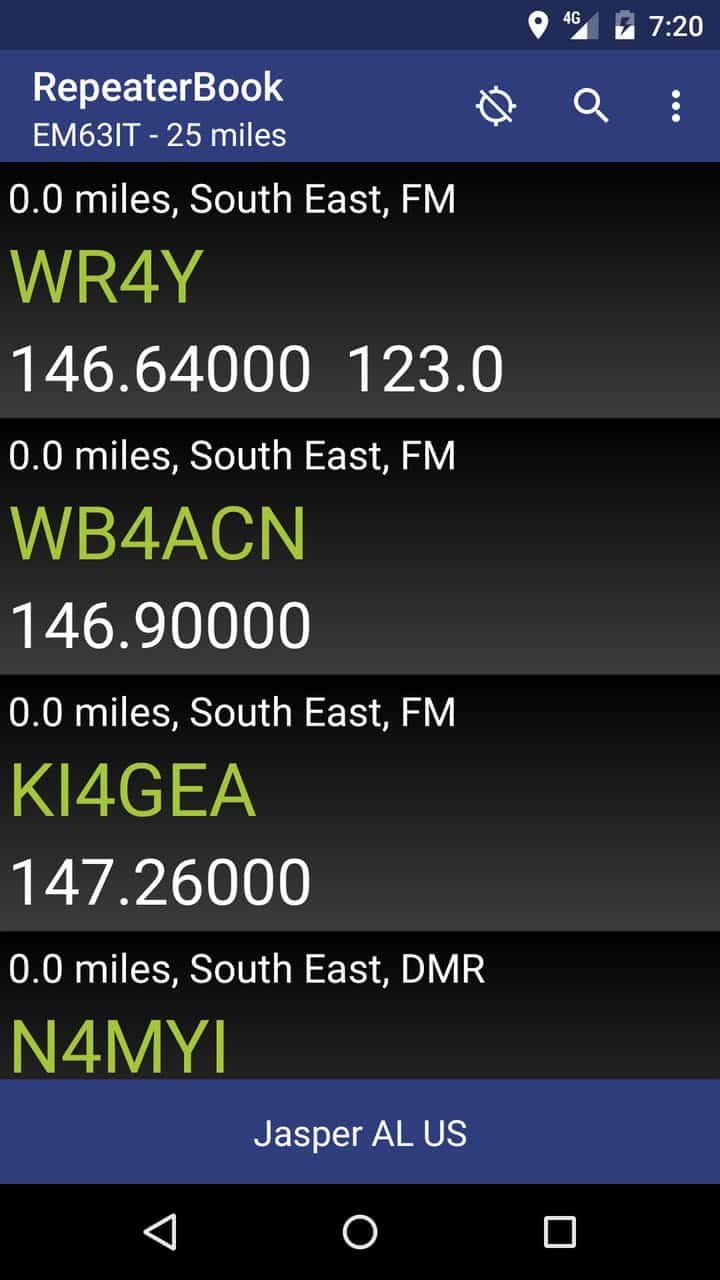
A repeater is a shared hilltop transmitter that rebroadcasts your handheld’s weak signal across a whole region, and finding your local ones is the first practical thing a new Technician does. RepeaterBook (Play Store) is the community’s own directory, with ham-maintained data covering 70-plus countries, offline support, and the distance and heading to each machine. Its own site promises outright that it “will always be free.” Commercial directory apps charge for data volunteers already curate at no cost, which makes this the easiest recommendation on the page. It looks plainer than the paid options. Install it anyway.

Talk over the internet: EchoLink
Once your license is granted, EchoLink lets your phone join real repeater conversations over WiFi or cellular data, with no radio hardware required. Validation means uploading proof of your FCC license, the copy filed in the FCC’s ULS database, through echolink.org, and approval typically takes a day or more. It’s the app that makes a new callsign feel real on day one of being licensed, and it costs nothing.
Log contacts: Ham2K Portable Logger, with HAMRS as the paid alternative
A log is the record of who you talked to, when and on what frequency, and phone-first logging matters most for portable events like Parks on the Air and Summits on the Air. Ham2K Portable Logger (PoLo) is free, open source, donation-supported and designed for a phone screen from the start, by Sebastian Delmont, KI2D. HAMRS is the polished alternative. Desktop versions are free, the classic mobile app is a small one-time purchase, and a newer HAMRS Pro adds an optional sync subscription. Its pricing page is mid-transition between those models, so check it before buying. Start with PoLo, and move to HAMRS later only if you want its templates and cross-device sync.
APRS: watch it free on aprs.fi, transmit with APRSdroid
APRS (Automatic Packet Reporting System) is the ham network that puts stations, and their positions, on a live map. The beginner-friendly half is aprs.fi, run by Heikki Hannikainen, OH7LZB, a free website where anyone can watch stations move and search any callsign, with no license, no hardware and no app. The transmitting half is APRSdroid (Play Store) by Georg Lukas, DO1GL, which beacons your position via the internet, radio audio or a Bluetooth radio modem, and needs an APRS-IS passcode tied to your callsign before it sends anything. APRSdroid’s own getting-started guide covers how to request that passcode. Watching the map is a fine first week.
Look up a callsign: QRZ.com
Hear a callsign on a repeater and QRZ.com tells you whose it is, with the operator’s name, location and license class. A free account returns the basics, and the fuller data feed sits behind a paid XML subscription. The QRZ apps you’ll find on the store are generally third-party front-ends to that same database, so I’d bookmark the website before paying for any of them.
Listen before you commit: SDR Touch
SDR is short for software-defined radio, where a cheap USB tuner dongle does the receiving and software does everything else. SDR Touch turns an Android phone plus an RTL-SDR dongle into a wide-coverage receiver; its listing puts the range at roughly 50 MHz to 2.2 GHz, with a limited free version and a paid unlock. Receive only, so no license enters into it. This is how you hear the hobby before you join it, and that dongle is the only piece of hardware anything on this page requires beyond the radio you’ll eventually buy to transmit.
What these apps won’t do for you
- They won’t let you legally transmit without an FCC license. An app that hands you a callsign, like HamSphere, is giving you a simulator callsign the FCC does not recognize.
- A phone app can’t replace a radio for real RF. EchoLink and APRSdroid ride the internet, so keying an actual repeater or working a distant station still takes a transmitter and, usually, an antenna.
- SDR and WebSDR let you listen, but they don’t answer back. Receiving is the whole feature.
- None of them study for you.
Frequently asked questions
Do I need a license to listen to ham radio?
No, and there’s nothing to register either. Receiving is legal for anyone on a scanner, an RTL-SDR dongle, or a browser WebSDR. Only transmitting needs the license, so you can monitor for as long as you like while you decide whether to sit the exam.
What happens if you transmit without a license?
If you key up without a callsign, the FCC’s guide to unauthorized radio operation says you can face “seizure of equipment, fines and other civil and criminal penalties”. The Commission’s base forfeiture for operating without authorization is $10,000, and it applies that figure per day, stacking further violations on top. Its January 2025 order against an Idaho amateur reached $34,000 by exactly that arithmetic. Two days of unauthorized operation at $10,000 each, then $7,000 for each of the two days he interfered with US Forest Service traffic. Read the order before treating it as a typical case, because he was transmitting on a government channel, 151.145 MHz. Neither document addresses receiving, which is why a scanner, a WebSDR or a receive-only dongle needs no licence.
How long does EchoLink’s license check take?
Plan on a day or more after you apply, going by EchoLink’s validation page. The catch is the sequence. You can’t validate until your license actually shows up in the FCC’s ULS database, because that ULS copy is the document EchoLink wants uploaded. So the real order is to pass the exam, wait for the FCC to grant your callsign, download the license copy from ULS, then submit it to EchoLink. The FCC wait is dead time for EchoLink, so spend it reading up instead.
What’s the cheapest way to actually get on the air?
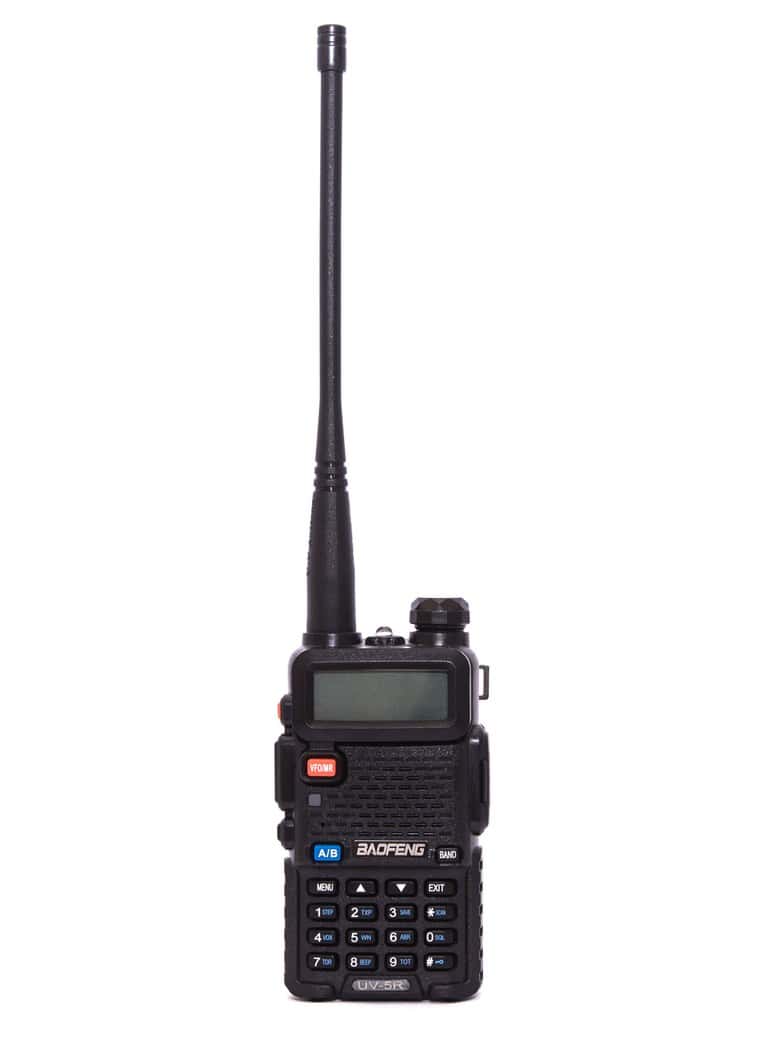
Study free on HamStudy.org, then find a nearby exam session through the ARRL’s session finder and pay the small fee to the local volunteer team. Pair a budget handheld like the Baofeng UV-5R with the free RepeaterBook to find a local repeater. That path puts you on the air for the price of one inexpensive radio plus the exam, with every app in the chain either free or a one-time study purchase.
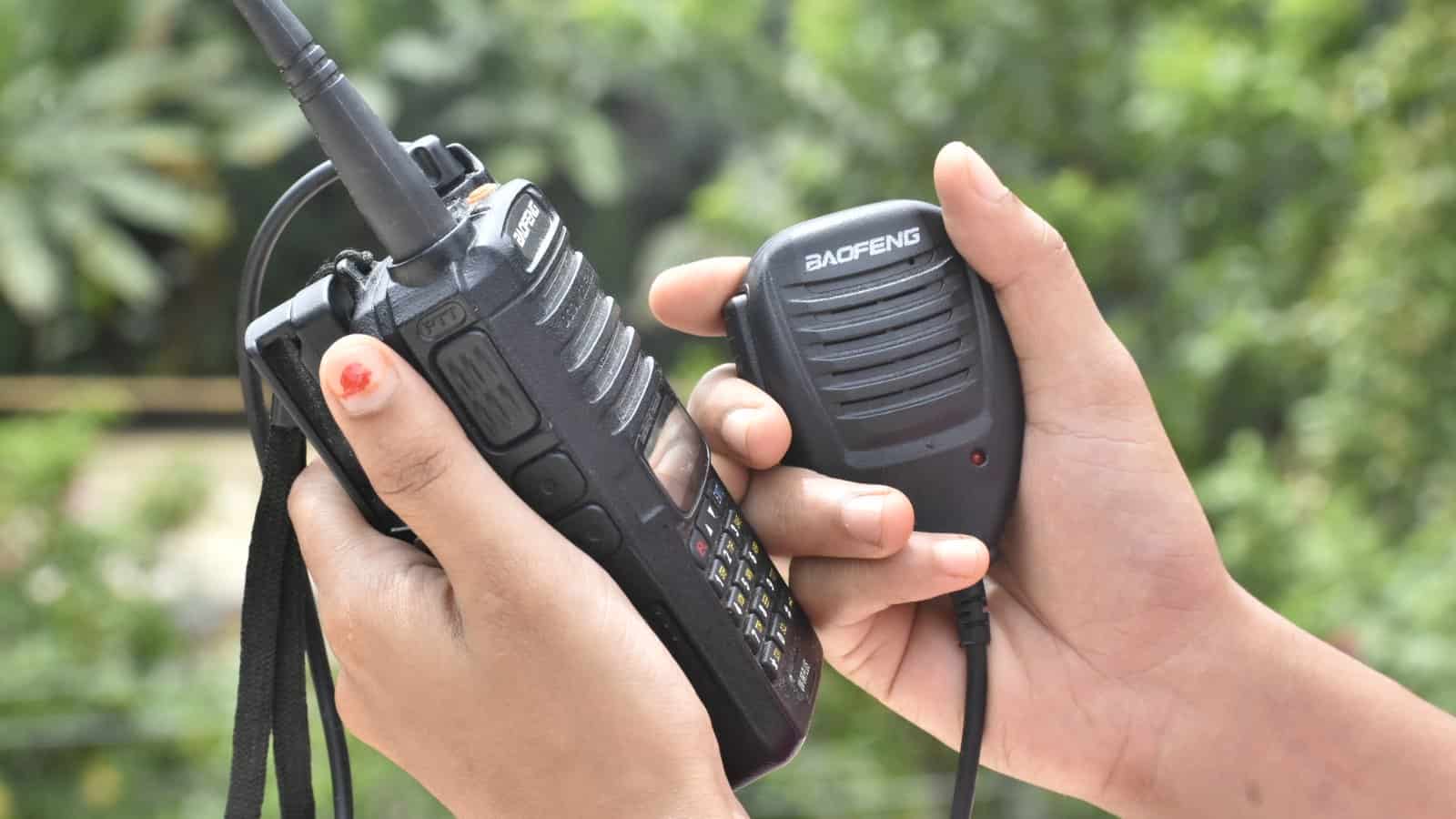
The primary facts here come from the ARRL’s licensing pages (the class structure and the 35-question Technician exam), EchoLink’s validation page (its license wall), RepeaterBook (its free-forever promise), and the developers’ own pages for HamStudy, Ham2K PoLo, HAMRS, APRSdroid, aprs.fi and QRZ. App-store prices drift, so confirm any dollar figure on the live listing before you rely on it. The featured photo is by BHARATHESHA ALASANDEMAJALU, CC BY-SA 4.0 via Wikimedia Commons.

Updated 24 August 2026: the penalty answer now cites the FCC directly, replacing a third-party explainer, and a RepeaterBook screenshot was added so the PL tone is visible on screen. Corrected later the same day. An earlier version of this note argued that the $10,000 figure understated the exposure, and reading the FCC’s order showed the reverse. $10,000 is the Commission’s own per-day base for unauthorized operation, and the $34,000 total is four violations priced from it. The answer above now carries that breakdown and names the frequency involved, a government channel.

A tech Journalist and Photographer, Dhawal Sharma is a technology enthusiast who loves to research the latest innovations and technology. He has contributed to the Honor Community for a very long period and has crucial expertise in writing tech news and reviewing smartphones and laptops. Analyzing and bringing the facts about any piece of tech is what he loves the most. He is a great product photographer and is the Gizmopedia of TheLeaker. Find him on Facebook and Instagram, and you can also email him at [email protected].