
You tap an APK, the installer runs for a second, and Android replies with “App not installed”. No reason, no error code, no hint. It is one of the least helpful messages Android produces, and it covers at least seven genuinely different problems.
The quick answer: “App not installed” means Android’s package installer rejected the file. The most common causes are a signature conflict with a version of the same app already on the phone, a corrupted or partially downloaded APK, an APK built for a different processor architecture, insufficient storage, a version already installed that is newer than the one you are installing, or Play Protect blocking it. The single most effective fix is to uninstall the existing copy of the app completely, including for other user profiles on the device, and then install again. Signature conflicts cause more of these failures than everything else combined.
What the error actually means
Android verifies several things before it will install a package. If any check fails, the installer stops and shows the same generic message regardless of which check it was.
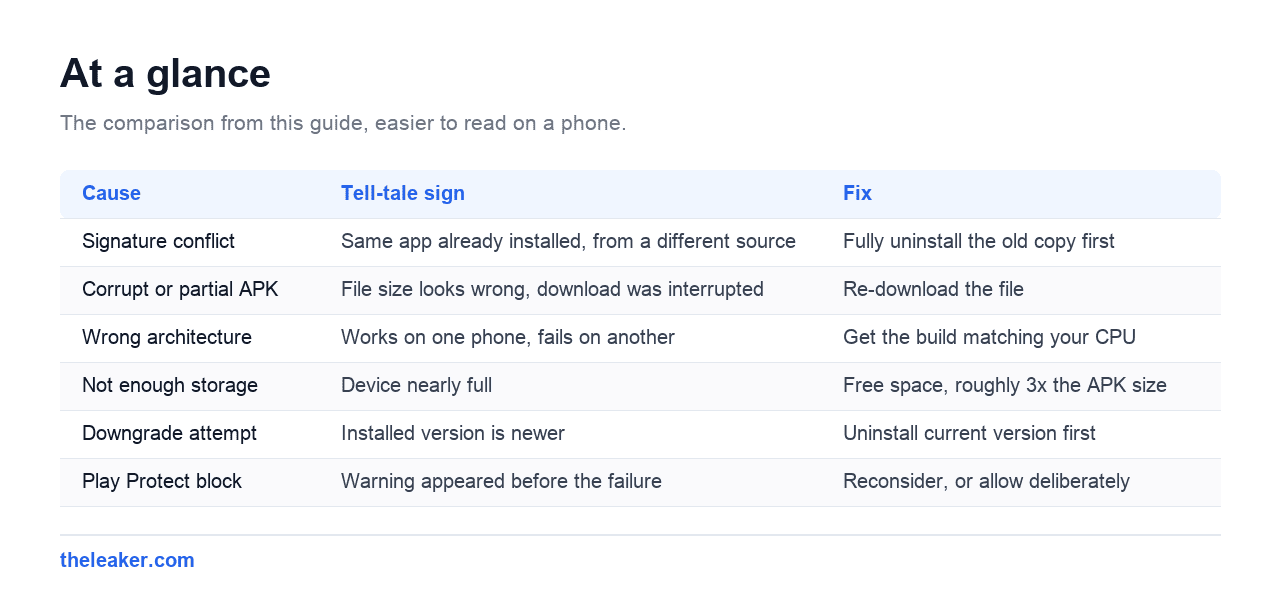
| Cause | Tell-tale sign | Fix |
|---|---|---|
| Signature conflict | Same app already installed, from a different source | Fully uninstall the old copy first |
| Corrupt or partial APK | File size looks wrong, download was interrupted | Re-download the file |
| Wrong architecture | Works on one phone, fails on another | Get the build matching your CPU |
| Not enough storage | Device nearly full | Free space, roughly 3x the APK size |
| Downgrade attempt | Installed version is newer | Uninstall current version first |
| Play Protect block | Warning appeared before the failure | Reconsider, or allow deliberately |
| Minimum Android version | Older phone, newer app | Nothing to do, app requires newer Android |
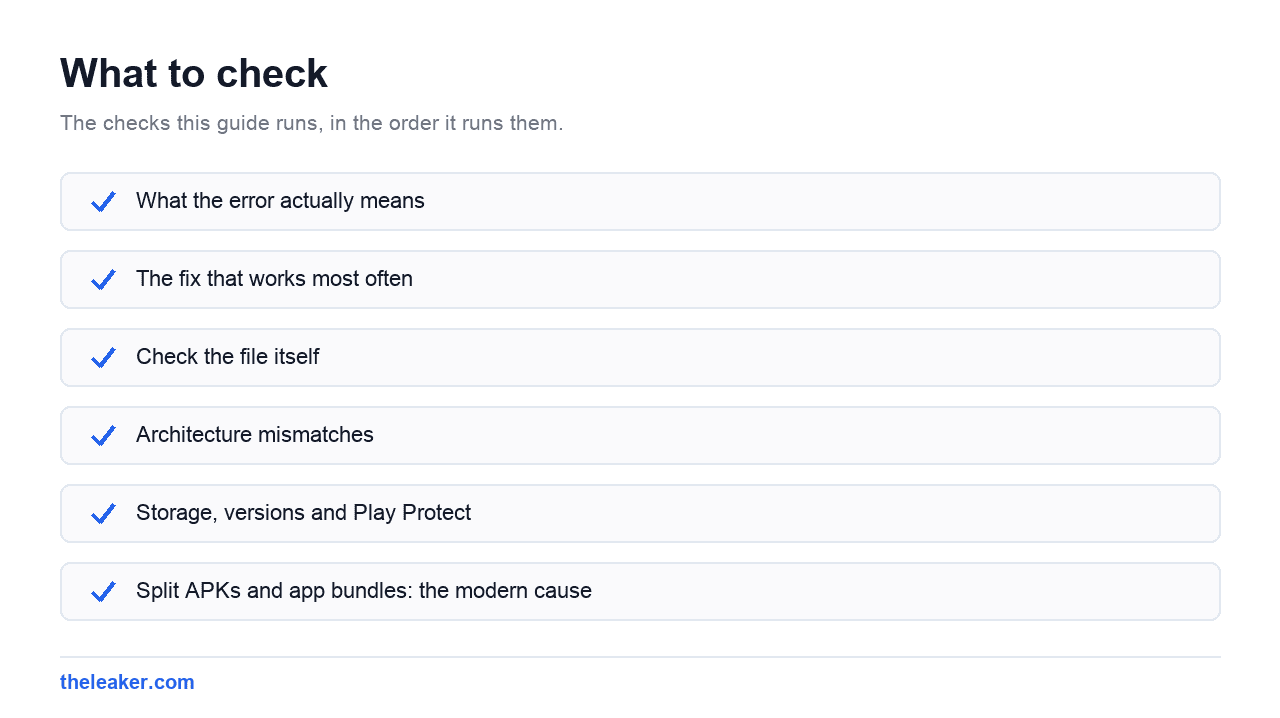
The fix that works most often
Signature conflicts are the biggest single cause, so start here even if you think the app is not installed.
Every Android app is signed by its developer. If a version of the same app is already present with a different signature, Android refuses the install rather than overwriting it. This is a security feature, not a bug: it stops a malicious package impersonating an app you already trust.
- Go to Settings, then Apps, and search for the app by name.
- If it is there, tap it and choose Uninstall.
- If Uninstall is greyed out, tap Uninstall updates first, then disable it.
- Restart the phone, then install the APK again.
The part people miss: other user profiles
If the app was ever installed under a second user, a guest session or a work profile, it can remain there invisibly and still block the install for you. The main Apps list does not show it.
Check Settings, then System, then Multiple users, and remove any leftover profiles you do not use. On phones with a work profile, check whether the app exists on the work side. This single cause accounts for a lot of the “I definitely uninstalled it and it still fails” cases.
Check the file itself
A partially downloaded APK produces this error every time, and it is easy to miss because file managers happily show an incomplete file as if it were fine.
- Compare the file size against what the source lists. A shortfall means the download failed.
- Re-download over Wi-Fi rather than mobile data.
- If your browser saved it as
.apk.zipor similar, the download did not complete cleanly.
A quick note on sources, because it matters here: install APKs from the developer’s own site or the Play Store. A file from an unknown mirror can be repackaged, and the signature conflict that Android is warning about may be the only thing standing between you and a modified app.
Architecture mismatches
This is why an APK works on a friend’s phone and fails on yours.
Android runs on several processor architectures, and many apps ship separate builds. The common ones are arm64-v8a (nearly all phones from the last several years), armeabi-v7a (older 32 bit devices) and x86_64 (emulators and a few tablets).
To find yours, install any CPU info app from the Play Store, or check the phone’s specifications. Then download the build that matches. If the source offers a “universal” APK, that one contains every architecture and will work, at the cost of a larger file.
Storage, versions and Play Protect
Storage
Android needs noticeably more free space than the APK itself, because it unpacks and optimises the app during installation. As a rule of thumb, keep about three times the APK size free. Check Settings, then Storage.
You are installing an older version
Android will not downgrade an app in place. If the installed version is newer than the APK, the install fails with this same message. Uninstall the current version first, accepting that you will usually lose its local data.
Play Protect
If a warning appeared just before the failure, Play Protect blocked it. You can proceed anyway through the prompt, but treat the warning as information rather than an obstacle: it is worth knowing why the file was flagged before overriding it.
Split APKs and app bundles: the modern cause
This one has become common and confuses people who have installed APKs successfully for years.
Most large apps are no longer shipped as a single APK. Google’s app bundle format splits an app into a base package plus separate pieces for your screen density, processor architecture and language. The Play Store assembles the right combination for your device automatically.
If you download only the base APK from a third-party site, the install fails, because Android is missing the other required pieces. That is why a file labelled with the right version and the right app still refuses to install.
The signs are recognisable: the source offers files ending .apks, .xapk or .apkm rather than plain .apk, or lists several files for one app. Those bundle formats need a split-APK installer rather than the standard Android package installer, which only understands single APKs.
If you have the choice, installing from the Play Store sidesteps the entire problem, because the assembly happens for you.
Frequently asked questions
I uninstalled the app and it still says “App not installed”.
Check for other user profiles and a work profile, as described above. A leftover copy under another user is invisible in the main Apps list and still blocks the install.
Why does the same APK work on another phone?
Most often a different processor architecture, or a different Android version. It can also be that the other phone never had a conflicting copy installed.
Does “App not installed” mean the file has a virus?
Not by itself. The message is generic and usually means a signature or compatibility problem. If Play Protect showed a separate warning, that is a different signal and worth taking seriously.
Can I install an older version over a newer one?
Not directly. Uninstall the newer version first. Back up anything that matters inside the app before you do, because uninstalling clears its data.
Changelog
- 1 August 2026: Page created.

I am the chief editor of TheLeaker. I also maintain the backend stuff of the site. I’m a tech enthusiast and loves to do Python coding in my free time. I have worked at many giant publications like XDA Developers and NXTtech before starting TheLeaker.
You can get in touch with me at Garv[at]theleaker.com.